Airports & terminals

Passenger feedback system for airports

Qmeter is a passenger feedback system for airports: smiley terminals at washrooms, security and gates, QR codes and post-flight SMS on one platform. A low score opens a ticket for the cleaning or terminal team the moment it is tapped, so the problem is fixed while passengers are still in the building.

Built for multi-terminal hubs and regional airports alike. Runs on standard tablets, keeps collecting when the network drops, speaks 100+ languages and can be deployed on your own servers.

WhatsApp us
A traveller and an airport staff member walking and laughing in a bright terminal concourse
Definition

What is a passenger feedback system?

A passenger feedback system asks passengers one short question at the points that shape their trip, and tells the team in charge of each zone what needs fixing now.

  • One tap at the terminal, no app and no login.
  • Per zone and hour: every rating knows where and when.
  • Action: a low score becomes a ticket with a deadline.

How airports measure across the whole journey: the full guide.

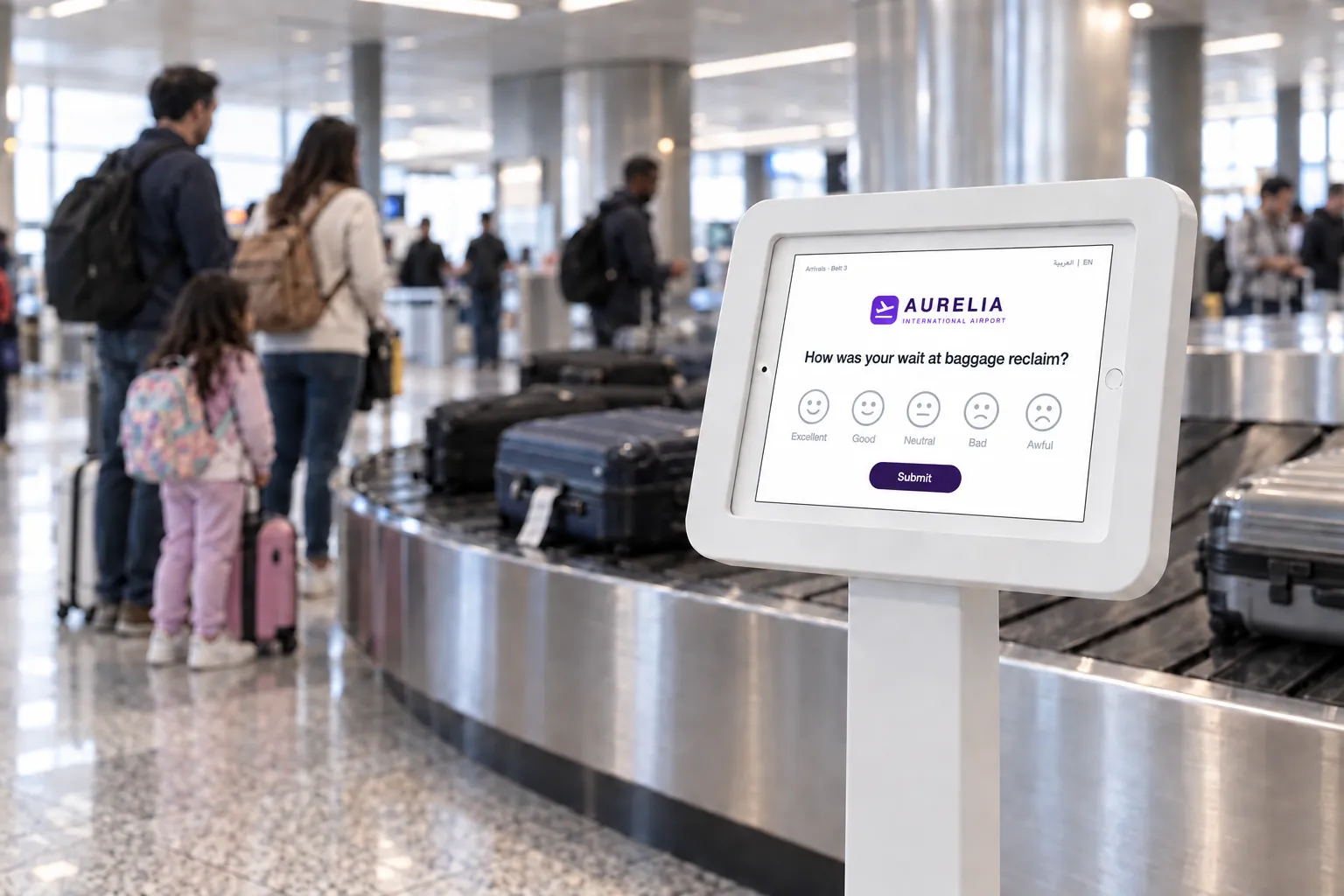
Smiley feedback terminal next to a baggage reclaim carousel
Fit check

Is Qmeter the right fit for your airport?

An honest answer before you book a call.

A strong fit when

  • You want passenger feedback per zone and per hour, not one score per quarter.
  • Washroom, security and queue problems must reach the team on duty within minutes.
  • You run several terminals or airports and want to compare them on one dashboard.
  • Passenger data has to stay on your own servers.
  • Surveys must work in many languages, including Arabic.
Not the right tool when

  • You need queue management or passenger-flow sensors. Qmeter measures how passengers feel, not how many there are.
  • You only want the official ASQ survey waves. Those are run by ACI, not by a software vendor.
  • You need a one-off research study rather than continuous operational feedback.
How it works

From a tap at the washroom to a fixed problem

Four steps, one platform. The screens below are the live product on a demo airport account.

01

Put a question where it happens

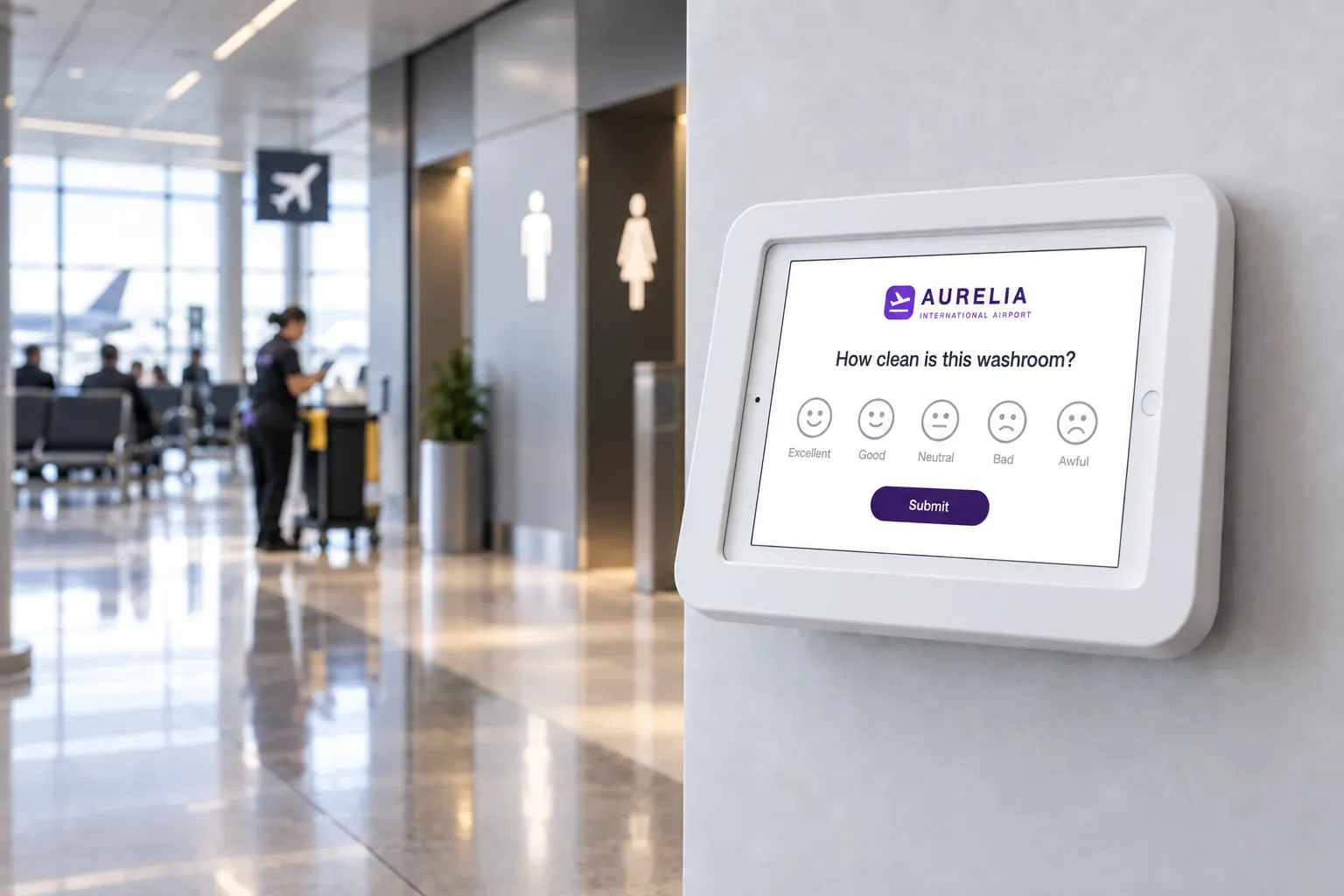
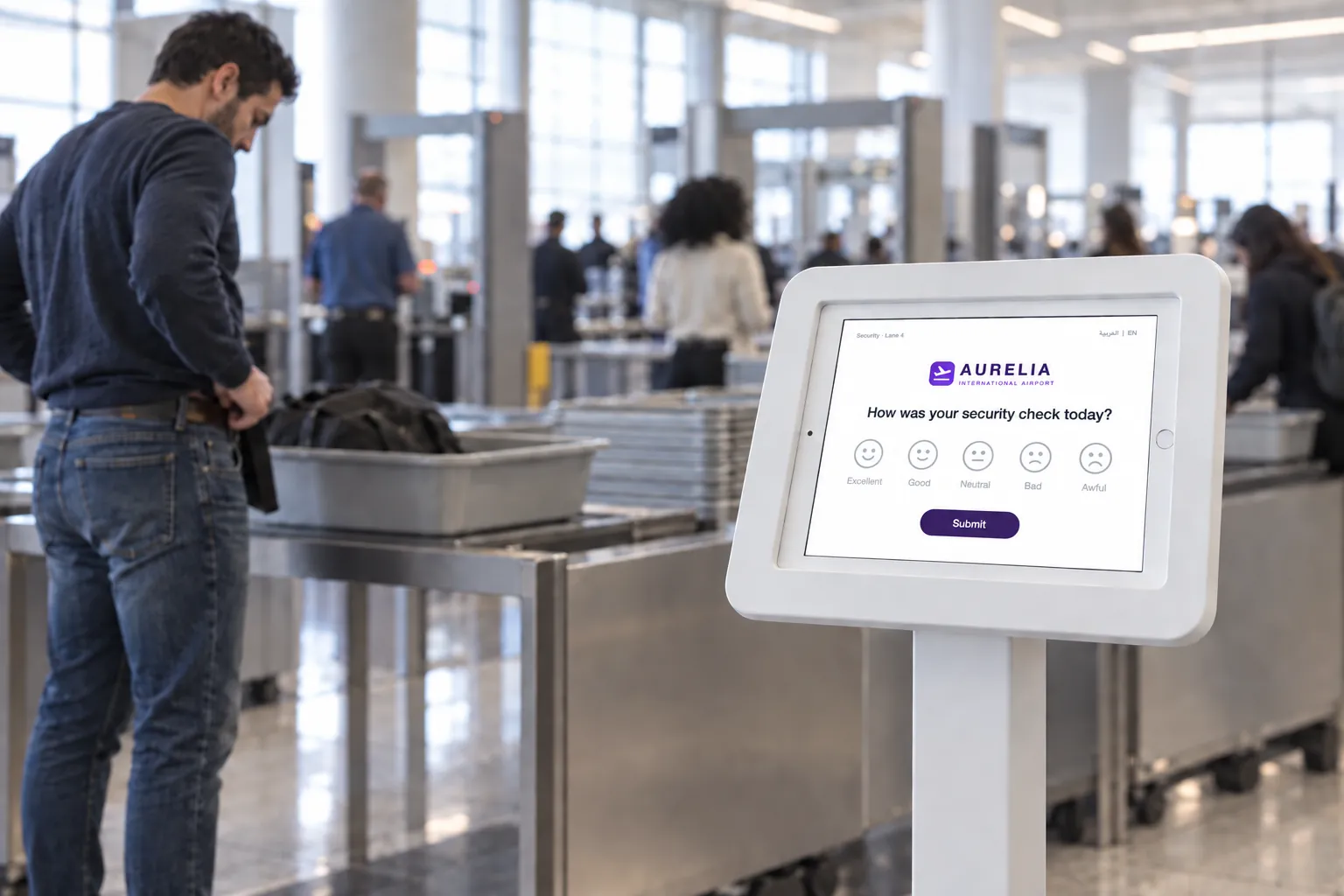
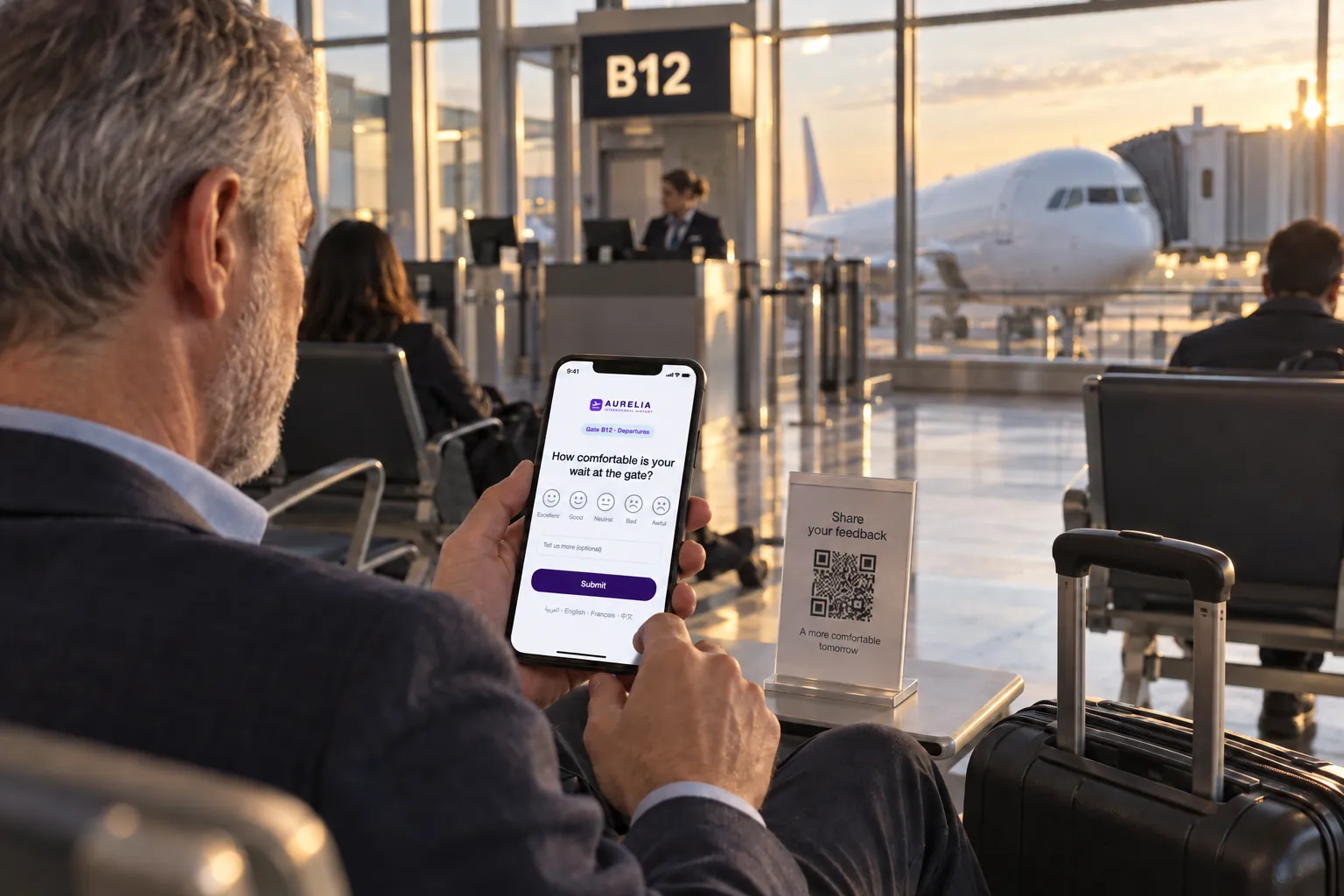
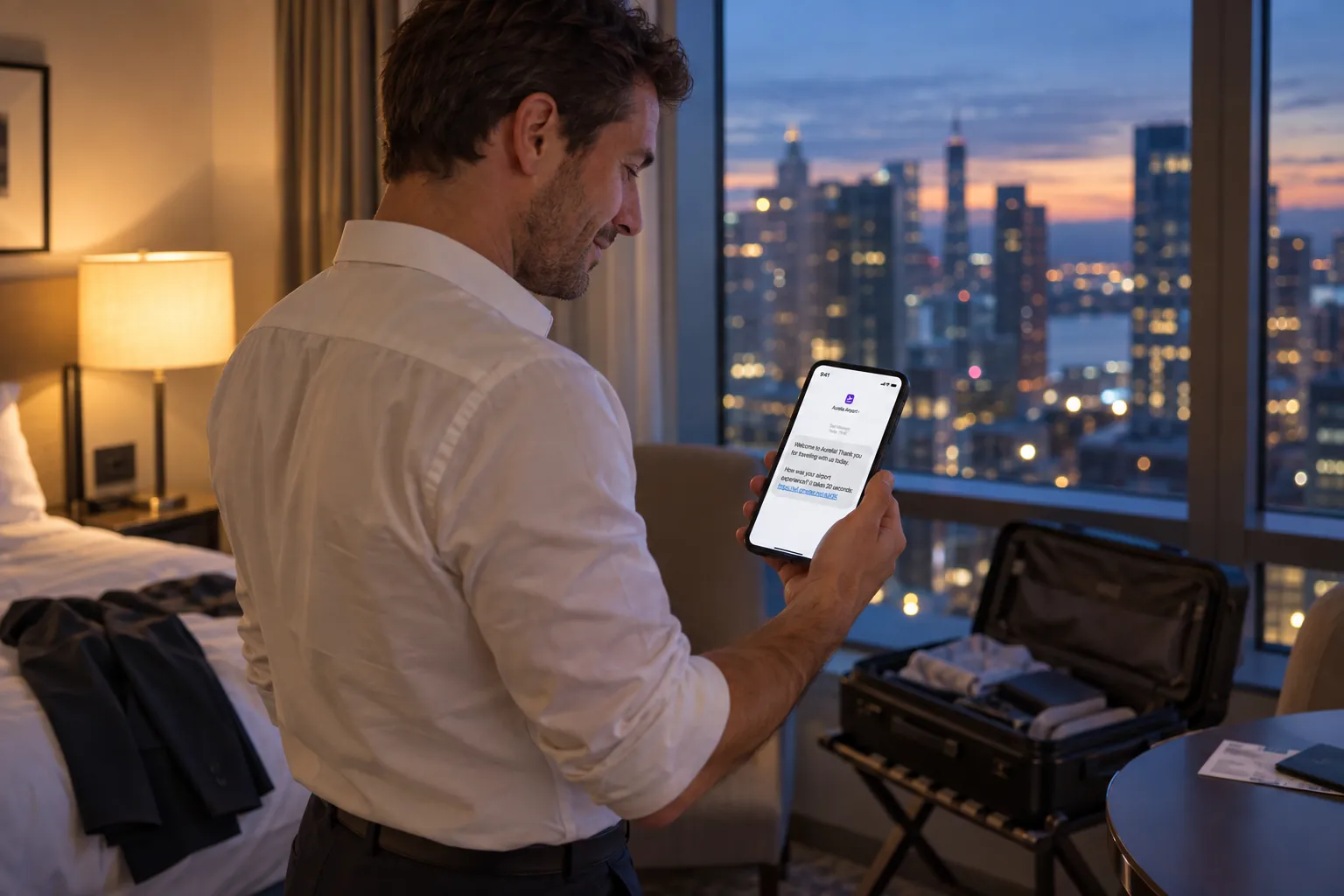
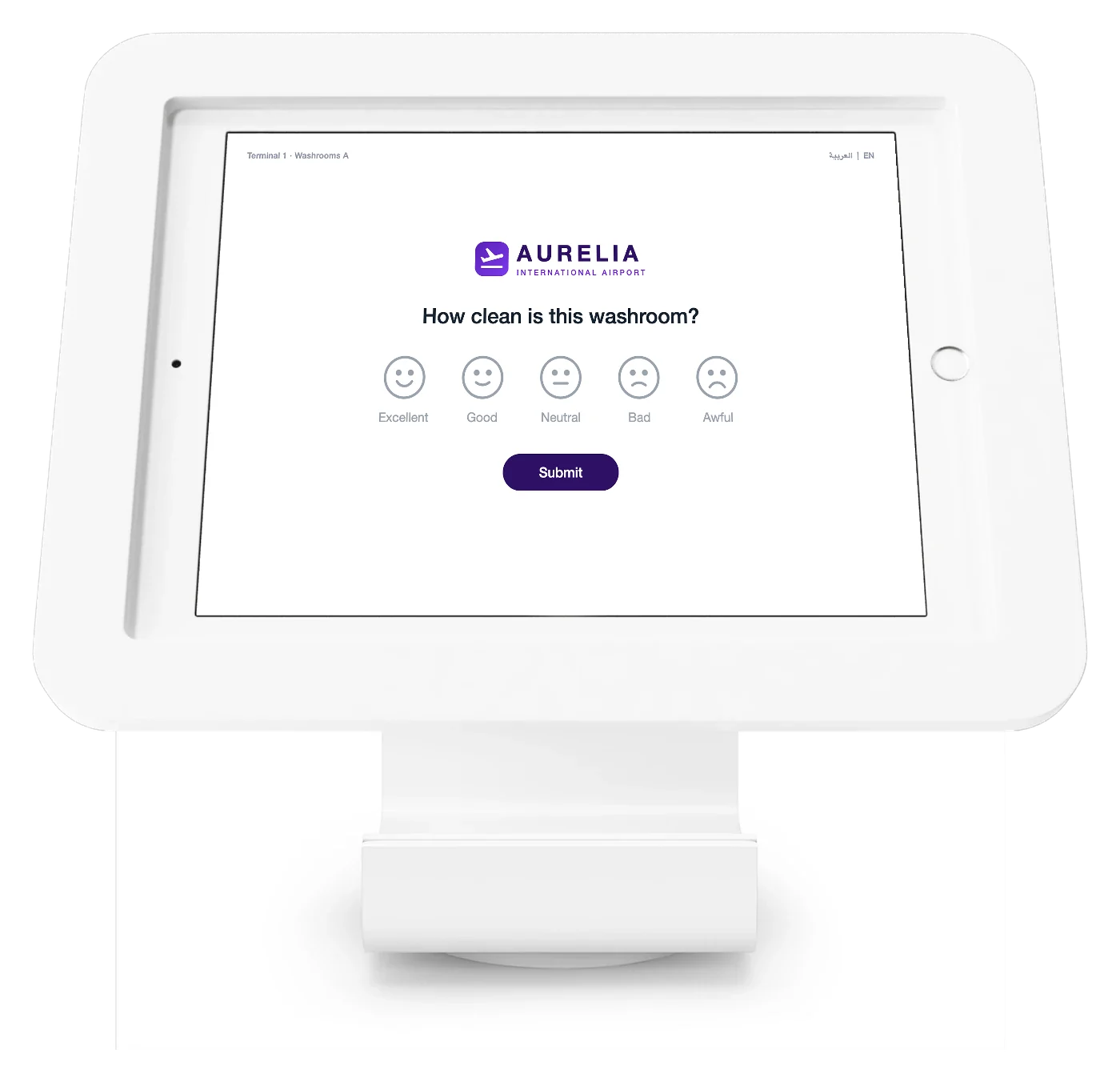
Smiley terminals at washroom exits, security and baggage reclaim, QR codes at gates and lounges, and an SMS after departure. One survey template runs on all of them, in 100+ languages.

Qmeter feedback kiosk with an airport washroom survey: logo, one smiley question, submit
02

Watch every terminal, not only the scores

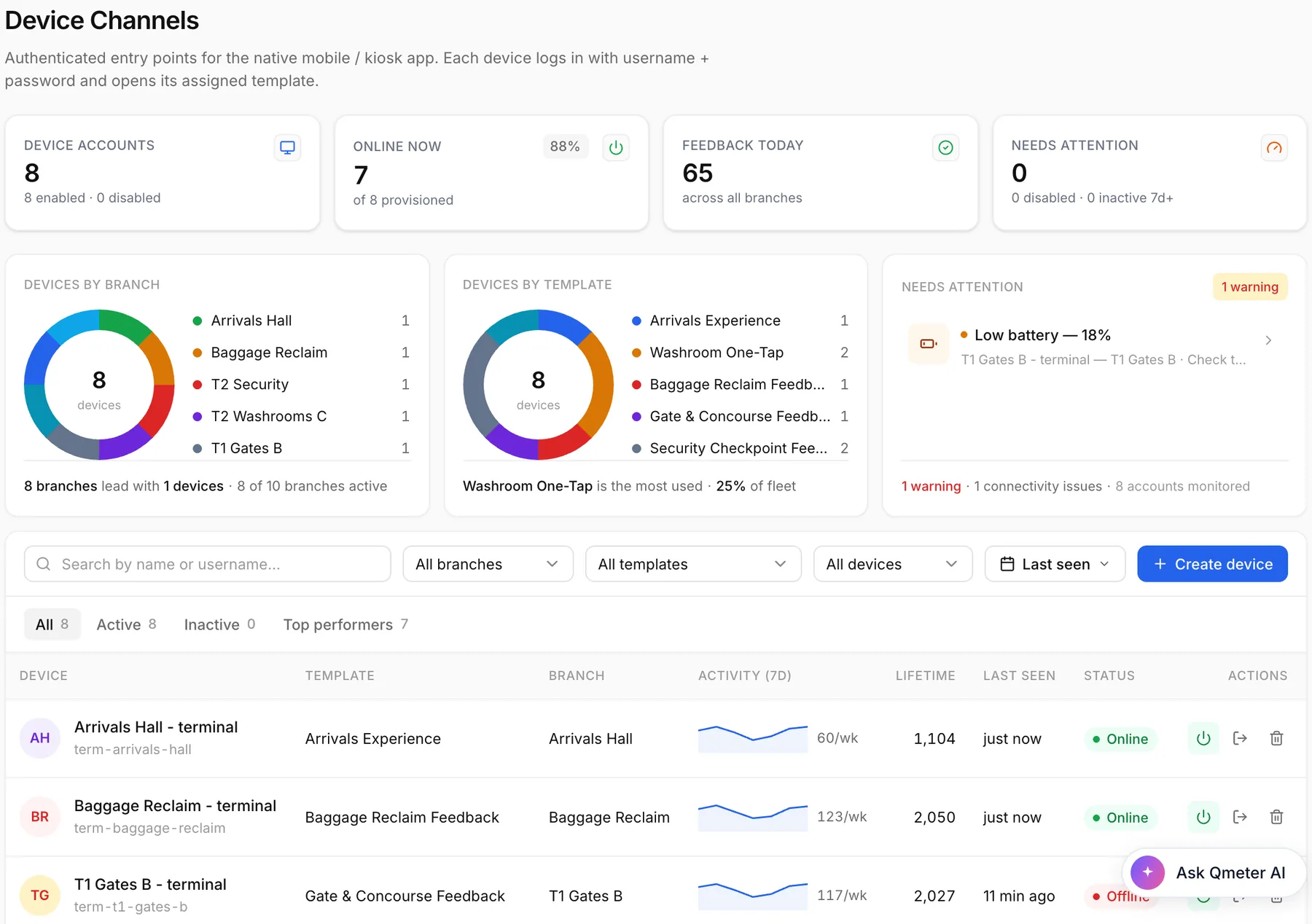
Each terminal reports its online status, battery and today's ratings. A device that goes quiet or runs low is flagged the same day, so a gate never goes silent for a week.

Qmeter device channels: airport terminals online, battery warning on a gate terminal, ratings per terminal
03

A low score becomes a ticket for the zone owner

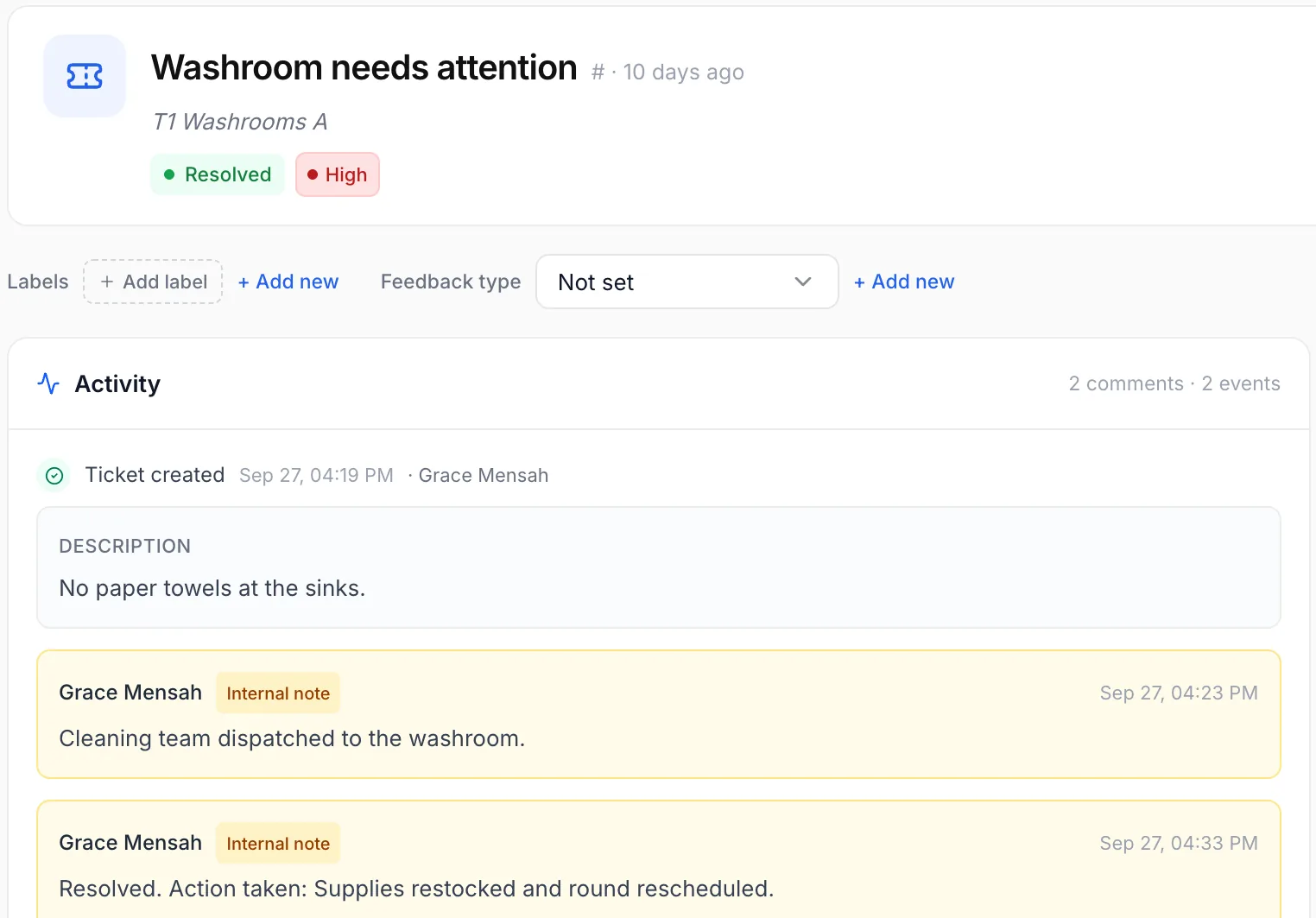
A bad washroom rating opens a cleaning ticket for the facilities supervisor, with first-response and resolution timers. The team records what they did and the loop closes on the record. More on closed-loop ticketing.

Qmeter ticket: washroom needs attention, cleaning team dispatched, resolved
04

Compare zones, terminals and time slots

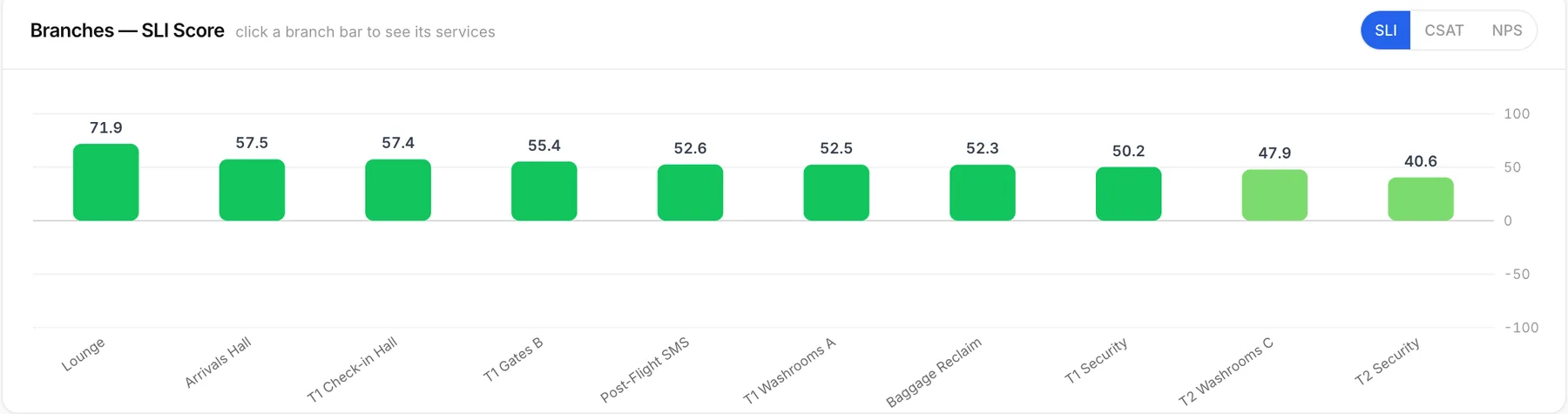
SLI, CSAT and NPS per zone show where service breaks and whether last week's fix held. Put terminals, hours and airports side by side.

Qmeter dashboard: SLI score compared across airport zones

Dashboard and ticket screens are the live Qmeter product on a demo account with illustrative data; survey screens show a sample client brand.

See these screens with your own zones and terminals.A 20-minute demo on a demo airport account. No preparation needed.

Where it runs

Every point of the passenger journey

One question, one tap, one record against that zone and hour.

Question bank

What to ask, zone by zone

A starting point for eight airport zones. Every answer carries its zone and hour, and every low score goes to the person who can fix it.

ZoneAskWhereLow score alertsRespond within
Kerb & parkingASQ category: Access“How easy was it to get to the terminal today?”QR codes at entrances and parking pay stationsLandside operationsSame shift
Check-inASQ category: Check-in“How was your check-in wait today?”Terminal just past the counters and bag dropTerminal duty manager30 minutes
Passport controlASQ category: Passport & ID control“How was your passport check today?”Terminal just after the booths and e-gatesBorder services liaisonSame day
SecurityASQ category: Security“How was your security check today?”Terminal at the tray recompose tablesSecurity supervisor of that lane15 minutes
WashroomsASQ category: Airport facilities“How clean is this washroom?”Terminal at each washroom exitCleaning supervisor15 minutes
Gates & loungesASQ category: Airport environment“How comfortable is your wait at the gate?”QR codes on seating and side tables, a tablet in loungesTerminal duty manager or lounge manager30 minutes
Baggage reclaimASQ category: Arrival services“How was your wait at baggage reclaim?”Terminal beside each beltBaggage services duty manager30 minutes
Whole journeyASQ category: All eight categories“How likely are you to recommend our airport to a friend?”SMS or email after the flightPassenger experience team1 business day

Response times are suggested starting points; you set your own rules for each zone.

Take the full question bank with you

Eight zones with one-tap follow-up reasons, terminal placement and alert rules, in a 4-page PDF.

ASQ readiness

Built around the ASQ framework

ACI’s Airport Service Quality (ASQ) programme runs quarterly survey waves at more than 400 airports in over 110 countries and scores 34 service attributes across eight categories. Qmeter maps every touchpoint to those same eight categories and measures them continuously, every day between the official waves.

Access

Kerb, parking and public-transport arrival. QR points at entrances catch the journey’s first score.

Check-in

Queue time and counter courtesy per airline and hour slot, measured right in the check-in hall.

Passport & ID control

Border queue and officer interaction, captured seconds later while the experience is fresh.

Security

Speed, courtesy and clarity of the screening, scored at the recompose tables just beyond it.

Finding your way

Wayfinding and signage scores that map to the exact zones where passengers get lost.

Airport facilities

Washrooms, seating, shops and Wi-Fi: the smiley feedback terminal’s home ground.

Airport environment

Cleanliness, ambience, noise and temperature: the scores that frame every other touchpoint.

Arrival services

Immigration, baggage reclaim and the arrivals hall. The last impression, measured in place.

Quarterly waves tell you where you finished. Continuous measurement decides where you finish next.

Find the failing zone this morning and dispatch the fix today, instead of reading about it after the quarter. Survey design, question wording, sample sizes and analysis are covered step by step in our guide on how to run a passenger satisfaction survey.

ASQ (Airport Service Quality) is a programme of ACI, Airports Council International. Qmeter is an independent platform, not affiliated with, endorsed by or certified by ACI, that supports an airport’s own continuous measurement alongside the official ASQ surveys.

How it compares

Smiley buttons, survey waves or an operational system?

Three ways airports hear their passengers, and where each one usually stops.

QmeterTypical alternatives
When you find outThe moment a passenger taps, per zone and hourSurvey waves report after the period is over; button terminals report quickly but in a separate portal
What happens after a low scoreA ticket for the zone owner with SLA timers and an audit trailUsually a dip on a dashboard or an email alert, followed up somewhere else
Depth of the answerA smiley first, then an optional reason, comment or voice noteButton terminals stop at the face; survey programmes go deep but only a few times a year
ChannelsTerminals, QR, SMS, web and email on one templateOn-site and digital feedback often live in separate tools
Hardware and hostingStandard tablets; cloud or your own serversProprietary terminals are common; on-premise hosting is rare

General observations about product categories, not claims about any named vendor. For a one-to-one comparison see the HappyOrNot alternative page.

Start small

Prove it in one zone first

No big-bang rollout. Start where passengers complain most and let your own data make the case.

  1. 01Week 1

    One zone live

    Pick one zone, for example the washrooms of one terminal. We set up the survey, the terminals and the ticket rules with your team.

  2. 02Weeks 2 to 4

    Watch the loop work

    Low scores reach the facilities supervisor, tickets close on the record, and you see the zone's score move.

  3. 03Then

    Decide with your numbers

    Add security, gates and the post-flight SMS, or stop. The decision rests on your data, not on a sales deck.

Data protection

Passenger data, protected

A tap on a smiley needs no personal data. When a survey asks for more, the platform treats it as a liability to protect.

Anonymous by default

Terminal ratings carry no personal data; contact fields are optional.

On-premise deployment

Run Qmeter inside your own infrastructure with the same features.

Masking and audit

Email and phone are masked; revealing them needs a permission and is logged.

GDPR workflows

Deletion requests and retention-based anonymisation are built in.

The full picture, including deployment options, is on the security & GDPR page.

FAQ

Airport passenger feedback, answered

Short, honest answers. For anything else, talk to our team.

What is a passenger feedback system?›

A passenger feedback system collects short ratings from passengers at the points that shape their trip (washrooms, security, gates, baggage reclaim, arrivals) and routes problems to the team that owns each zone. Qmeter runs it on smiley terminals, QR codes, SMS, web and email, with every answer tied to a zone and an hour.

Keep exploring

Where to go deeper

Get started

Start with one zone this month

Tell us your zones and we will show you how one of them runs on Qmeter: terminals, tickets and the dashboard, on a demo airport account, in 20 minutes.

WhatsApp us