What Is a Feedback Terminal? Types, Uses & Costs

A feedback terminal is a fixed device — a push-button stand, a touchscreen tablet or a wall-mounted screen — that asks customers one short question at the point of service and records every answer against that location and time. It captures the opinion of people who would never fill in an email survey, while the experience is still seconds old.
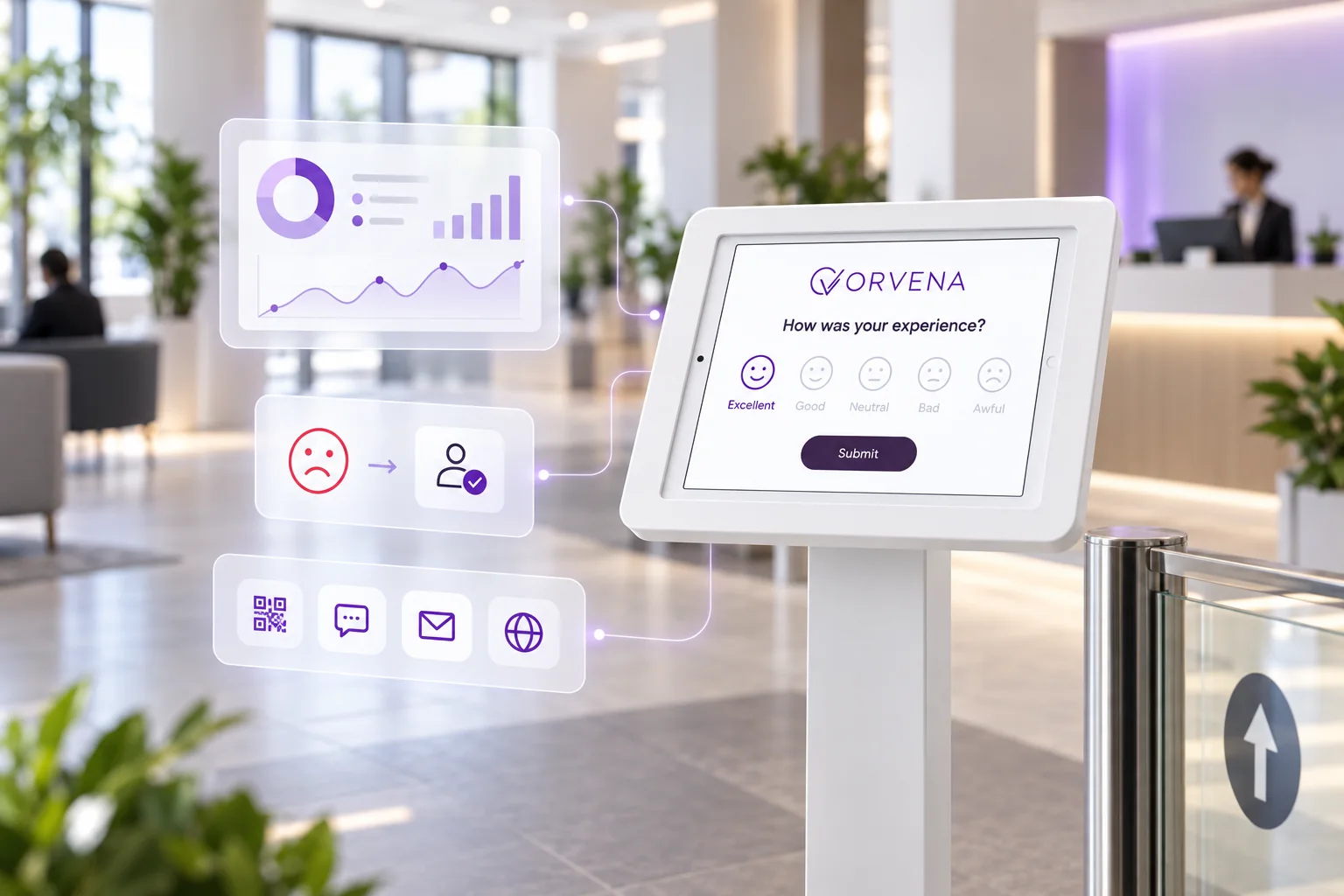
Choose the terminal type by what you need to learn: a smiley button counts moods, a touchscreen kiosk can also ask why. Place it on the exit path, ask one question, and budget for more than the device — software, mounting, connectivity and the time someone spends acting on the answers.
How a feedback terminal works
The mechanics are deliberately simple. A customer finishes a transaction — pays at the till, leaves a clinic reception, walks out of a washroom — and passes a device that asks one question, usually “How was your experience today?”, answered with a single tap on a face or a star. The terminal stamps the answer with its location and the time, sends it to a dashboard and resets for the next person. No login, no app, no personal data.
What makes the format valuable is who it hears from. Digital surveys reach customers whose email address or phone number you hold; a terminal reaches everyone who walks past, including the people who leave without a trace. That matters, because unhappy customers rarely complain on their own initiative.
Research by Esteban Kolsky (thinkJar) found that only about one in 26 unhappy customers complains; the rest simply leave.
A terminal on the exit path gives that silent majority a two-second way to register a problem before they go — and gives the business a chance to fix it while the customer may still be in the building.
Types of feedback terminals
| Type | How customers answer | What you learn | Best for |
|---|---|---|---|
| Push-button smiley terminal | Press one of three to five physical buttons with faces | Mood per location and hour, without a reason | Very high-traffic exits, washrooms, security lanes |
| Touchscreen kiosk on a stand | Tap a face or star, then an optional follow-up | The score plus the reason, in the customer’s language | Store exits, branch lobbies, receptions, clinics |
| Wall-mounted screen | Same as a kiosk, fixed to the wall at hand height | Score per zone, protected from knocks and theft | Washrooms, corridors, gates, lift lobbies |
| Counter-top tablet | Faces the customer across a desk or till | A rating of the specific desk, service or shift | Teller desks, check-in counters, pharmacies |
| QR code point | Scan with their own phone; the survey opens in the browser | Longer answers from motivated customers | Tables, rooms, receipts, low-traffic spots |
The first two rows are the main fork. Button terminals offer the simplest possible input and cope with very high footfall, but they can only count moods: you learn that the evening slot at the east exit went badly, not why. Touchscreen kiosks cost a moment more attention and can ask a follow-up only when the first answer is low — usually enough to turn a red dot on a chart into an actionable reason such as waiting time or cleanliness. A QR code is not strictly a terminal, but it belongs in the same plan: it covers the places where a device would be overkill, as explained in our guide to QR code feedback.
Where feedback terminals are used
- Retail — at the exit or beside the till, rating the visit, the queue or the team; store-by-store comparison is covered on the retail feedback solution page.
- Banks and service branches — a tablet facing the customer at each desk scores the desk, the service and the hour; see the branch experience platform for banks.
- Airports — wall-mounted units at washroom exits, security recompose areas and gates report per zone and hour slot; see passenger feedback for airports.
- Clinics and hospitals — an anonymous tap after registration or discharge hears from patients who would never fill in a questionnaire; see patient feedback for healthcare.
- Hotels and restaurants — terminals at reception and the exit, QR codes on tables and in rooms; see guest feedback for hospitality.
The common thread is a physical place where the experience happens and where customers leave no digital trace. Where the journey is already digital — an online order, an app action — a web or SMS survey is the better tool.
How to place and set up a feedback terminal
- Put it on the exit path, not at the entrance. Customers can only rate what has already happened; a terminal by the door they come in through collects expectations, not experiences.
- Ask one question on the first screen. Anything that needs reading slows the tap rate. Put follow-up questions behind a low rating.
- Hand height, in the walking line, well lit. A terminal tucked behind a pillar is a terminal nobody uses.
- One terminal per touchpoint you want to compare. Two checkout zones with different staffing need two data streams, or you get a blended average that describes neither.
- Decide who acts on a low score before go-live. Name the person who receives the alert for each location and the time they have to respond.
- Monitor the device, not just the data. A unit that loses power or Wi-Fi goes quiet; you want to know the same day, not at the end of the month.
What does a feedback terminal cost?
Prices vary widely by vendor, hardware and contract model, so the useful question is which cost components to budget for. Five appear in almost every project:
- Hardware. Dedicated button terminals are usually sold as proprietary devices; touchscreen setups can usually run on standard tablets, often ones you already own.
- Mounting and protection. Floor stands, wall mounts, counter stands and lockable enclosures are standard tablet accessories; what you need depends on how exposed the location is.
- Software licence. Usually a subscription per device, sometimes combined with a plan for digital channels. This is where contract models differ most: quote-only pricing, hardware bundles tied to multi-year terms, or a public price list.
- Power and connectivity. A socket or a charging routine, plus Wi-Fi or mobile data. Offline capture reduces the risk that a dropped connection costs you a day of answers.
- People time. Building the survey is quick; the ongoing cost is someone reading the results and responding to low scores. Budget for it, because a terminal nobody acts on is decoration.
When comparing offers, ask what happens to the hardware if you stop, whether QR, SMS and web surveys are included or sold separately, and whether alerts and follow-up tracking are part of the licence. Qmeter publishes its list prices — a Device License per kiosk plus a Feedback Responses plan — on the Qmeter pricing page, so you can do the sum before talking to anyone.
Terminal data only pays off when someone acts on it
A dashboard full of red faces changes nothing on its own. The terminals that earn their place are wired into a response process: a low rating triggers an alert or a ticket for the manager on duty, the manager fixes the issue or follows up, and the root cause is recorded so recurring problems become visible. That is the difference between counting moods and running a closed-loop feedback process. Scores from every terminal then roll up into one comparable measure per location — CSAT, NPS or a single index such as the Satisfaction Level Indicator — so leadership can see which branch is improving and which is sliding.
How Qmeter runs feedback terminals
Qmeter turns any tablet into a feedback terminal. A survey with a smiley or star rating — plus a follow-up that appears only after a low tap — runs in kiosk mode and resets after every answer, and the Qmeter device app adds offline capture and reports each device’s online status and battery. Low ratings open tickets with first-response and resolution timers, and the same template also runs on QR codes, SMS, email and web, so every channel lands on one dashboard. The full product picture is on the feedback kiosk software page.
Frequently asked questions
What is the difference between a feedback terminal and a feedback kiosk?
In everyday use the terms overlap. “Feedback terminal” often means a dedicated device with physical smiley buttons, while “feedback kiosk” usually means a touchscreen tablet on a stand running survey software. Both do the same job — one quick question at the point of service — but a touchscreen kiosk can also ask a follow-up, switch languages and carry your branding.
How much does a feedback terminal cost?
It depends on the hardware, the software licence and the contract model. Budget for five components: the device (or a tablet you already own), the stand or mount, a software subscription per device, power and connectivity, and staff time to act on the results. Qmeter’s own device and web plans are listed on its public pricing page.
Where should a feedback terminal be placed?
On the exit path, at hand height, in good light and directly in the walking line — right after the moment you want to measure. Avoid entrances, where nothing has happened yet, and the inside of queues, where people have their hands full. Use one terminal per touchpoint you want to compare.
Do feedback terminals collect personal data?
A one-tap rating is anonymous by default. Personal data is collected only if you deliberately add a contact field, for example so an unhappy customer can ask for a call back — and then it should be handled under your data-protection policy, with masking and deletion workflows. Qmeter’s approach is described on the security & GDPR page.
Can a feedback terminal work without Wi-Fi?
Some can. With the Qmeter device app, answers are stored on the tablet when the connection drops and uploaded when it returns, and the device list flags Wi-Fi offline, low battery and low connectivity so a silent unit is noticed the same day. Browser-only setups need a live connection.
What software do I need to run a feedback terminal?
Feedback software that can show a survey in kiosk mode, tag every answer with its location and time, report results in real time and route low scores to someone who can act. Software that also runs QR, SMS, email and web surveys on the same templates keeps every channel comparable on one dashboard.
See Qmeter in action
Collect, analyse and act on customer feedback — powered by AI.