Complaint management software that closes every case
✓ Cloud or on-premise · ✓ Kiosk, QR, SMS, email and web · ✓ Live in one day
A complaint management system captures customer complaints from every channel, turns each one into a tracked case with an owner and a deadline, escalates cases that miss their deadline, and shows the root causes behind them. Qmeter does this inside one feedback platform: complaints arrive from kiosks, QR codes, SMS, email and the web and become tickets automatically.
What a complaint management system does
Most organisations do not lack complaints; they lack a way to handle them consistently. Complaints arrive in a shared mailbox, a paper register, a hotline note, a one-star review, a word with a branch manager. Each channel has its own owner, or none. Nobody can say how many complaints came in last month, how long they took to resolve, or which ones were never answered.
A complaint management system replaces that with one process, whatever the channel:
- Capture — every complaint, from every channel, lands in one place with the customer, location, service and channel attached.
- Register as a case — a ticket with a number, a priority, an owner and a deadline.
- Acknowledge and respond — the customer hears back within a defined time, and the conversation is recorded with the case.
- Escalate — cases that miss their deadline move up a defined chain automatically.
- Resolve and close with a cause — every closed case records the root cause and the action taken.
- Analyse and prevent — recurring causes are visible by branch, service and period, so the organisation fixes the source instead of handling the same complaint again.
These are the same stages that complaint-handling guidelines such as ISO 10002 describe: receipt, tracking, acknowledgement, assessment, response, closure and review. Software does not replace a complaints policy, but it makes the policy measurable — and provable when someone asks how a case was handled.
Complaint intake from every channel
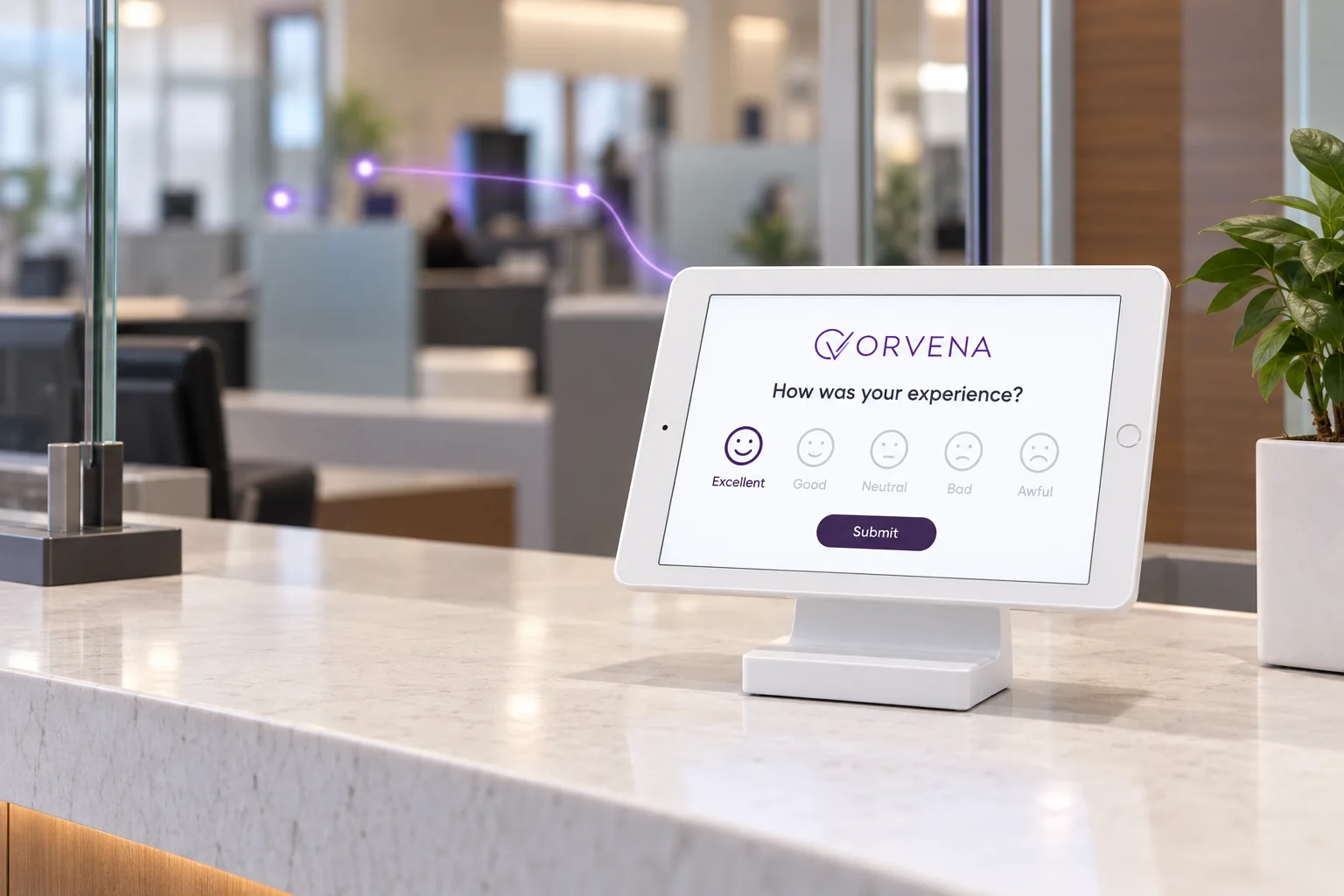
Customers complain where they are, not where your process expects them. A complaint management system is only as good as its coverage, and physical locations are where most survey-only tools stop. Qmeter collects complaints and feedback through:
| Channel | Where it fits | How it reaches the case |
|---|---|---|
| Kiosk or tablet | Branch exits, counters, waiting areas, reception | A low rating or a complaint form opens a ticket; works offline and syncs later |
| QR code | Receipts, tables, rooms, posters, service desks | Location-tagged link to a complaint or feedback form |
| SMS and email | After a visit, call, delivery or closed case | Survey campaigns; negative answers open tickets |
| Web link and widget | Website, online banking, booking pages | Complaint form embedded where customers already are |
| Ticket mailbox | Customers who write in by email | Two-way email linked to the case (IMAP/SMTP) |
| Manual entry | Phone calls, letters, complaint box, social media, walk-ins | Staff record the complaint as external feedback or a new ticket |
| Google reviews | Public reviews of each location | Reviews of 3 stars or below can open tickets |
Forms can run in more than 100 languages, with AI-assisted translation, and include optional customer fields (name, phone, email) so the customer can be contacted. See omnichannel feedback collection for choosing channels per location.
Automatic ticket creation
The weakest point of manual complaint handling is the first step: someone has to notice the complaint and copy it into a register. Qmeter removes that step with ticket generation rules. Each rule defines:
- the trigger — a rating on a smiley, star or NPS question, specific keywords in the comment, or a condition;
- the scope — which branches and services the rule applies to;
- the owner — one or more responsible people, assigned first-match or round-robin;
- the default priority, which sets the SLA; and
- the escalation chain — who is next if the deadline slips.
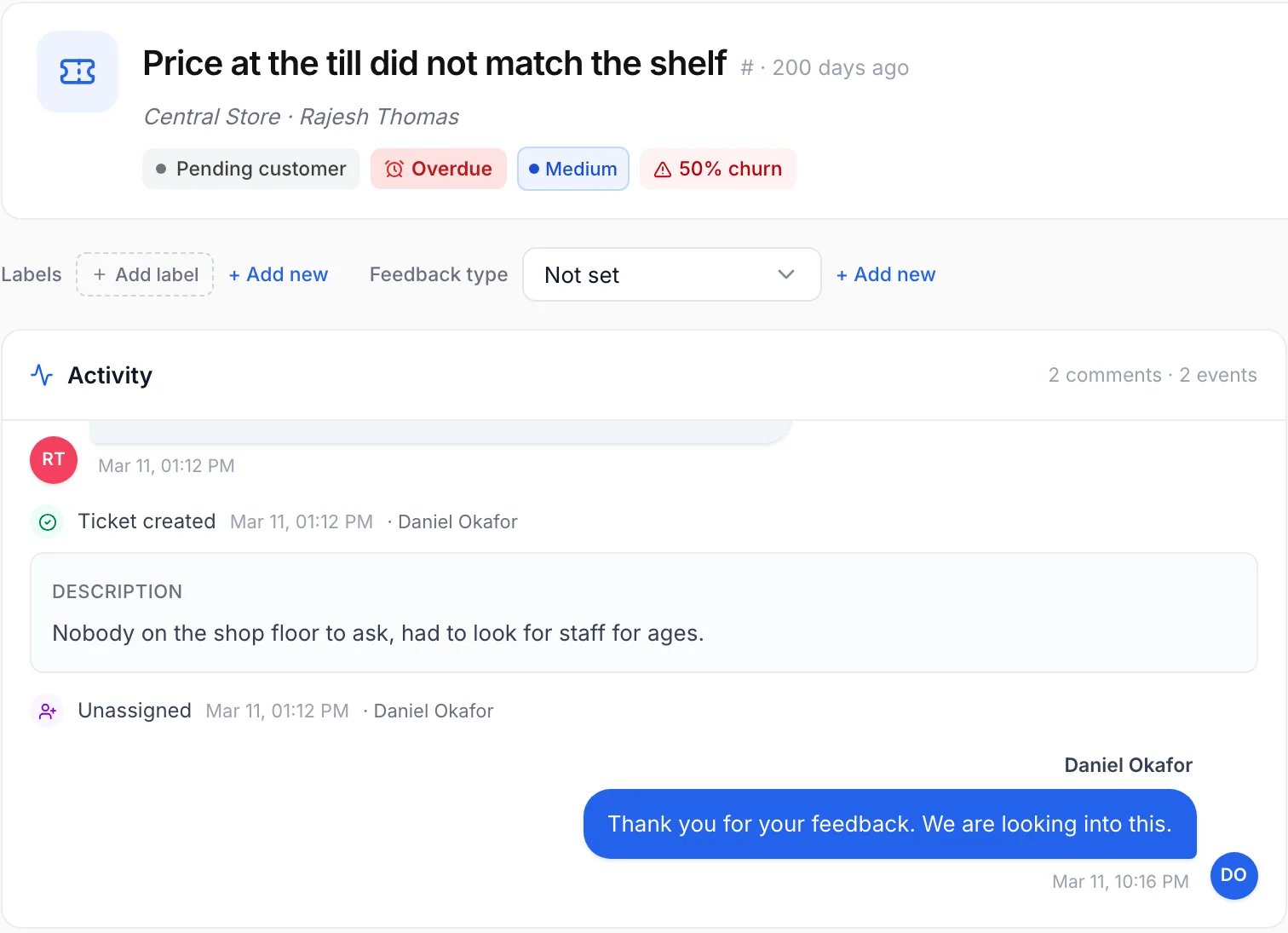
When matching feedback arrives, the ticket opens with the customer’s comment, branch, service and channel already filled in. Staff can also create tickets manually for complaints received by phone or in person. Every ticket moves through clear statuses — New, Open, In progress, Pending customer, Escalated, Resolved, Reopened — so the queue always shows where each case stands. Learn more on feedback ticketing.
SLAs and escalation that do not depend on goodwill
A complaint without a deadline is a complaint that waits. Qmeter sets first-response and resolution SLAs per priority, and starts both timers when the ticket is created — not when someone happens to read the email. Changing a ticket’s priority updates its deadlines automatically.
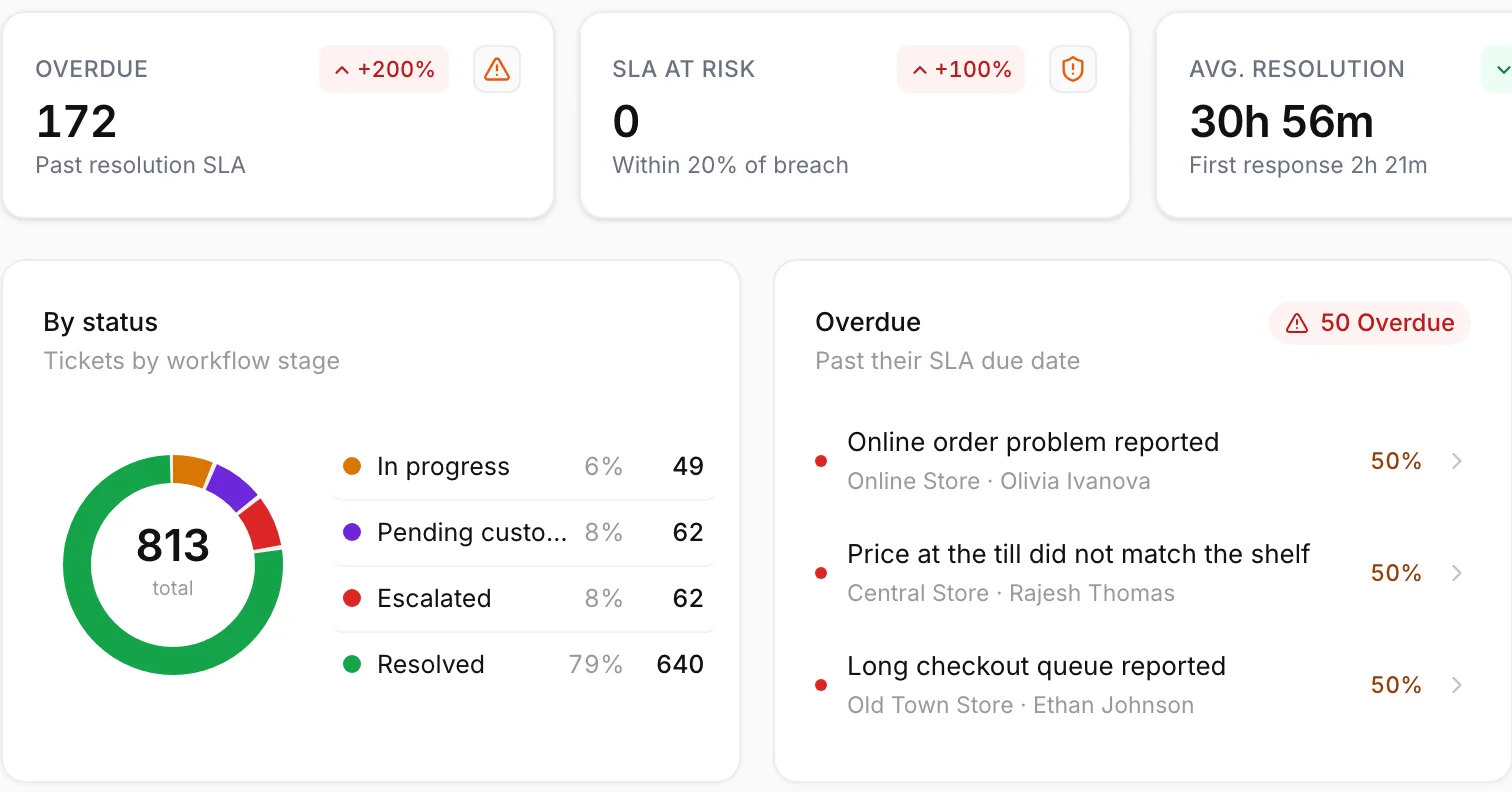
- Overdue and escalated tickets appear in a “Needs your attention” list on the dashboard.
- Escalation can be automatic, along the chain defined in the rule, or manual with reassignment to a named person.
- Public replies and internal notes are kept separate: the customer sees the reply, colleagues see the notes. A reply can set the ticket to “Pending customer” while you wait for an answer.
- Resolution requires a root cause, the action taken and a resolution note. After resolution the customer automatically receives a short satisfaction survey, and a resolved ticket can be reopened with a comment if the problem returns.
- Faster replies — an AI-suggested reply draft, @mentions to bring in colleagues and file attachments inside the case.
The ticketing dashboard reports total and resolved tickets, average first response, average resolution and SLA compliance, with met-versus-breached gauges, volume trends and agent performance — filtered by period, branch and agent, and exportable to Excel and PDF.
Root-cause analytics: fix the source, not just the case
Handling each complaint well is the inner loop. Preventing the next hundred is the outer loop, and it needs structured data. Qmeter’s ticket classification keeps three controlled lists — labels, root causes and actions — so every closed case says what went wrong and what was done.
The ticket drivers view breaks complaints down by reason, root cause and resolution. Combined with the branch and service on each case, it answers the questions management actually asks: Which causes repeat? At which branches? Since when? Did the fix work? The report builder and AI Analyst can go further — for example, asking in plain language for the three branches with the most overdue complaints last month and what they have in common.
Because complaints sit on the same platform as satisfaction surveys, you can also see whether reducing a complaint cause actually moved CSAT, NPS or Qmeter’s SLI at the locations involved. The method is described in our closed-loop feedback guide.
Complaint management software for banks and regulated industries
Banks, insurers, payment companies and other regulated firms carry an extra requirement: complaint handling must be provable. Many central banks and financial regulators expect firms to have a documented complaints procedure, to acknowledge and answer complaints within defined time limits, to keep records and to analyse complaints for recurring causes. The specific rules differ by country, so your compliance team defines the policy; the system’s job is to make that policy run the same way every time and leave evidence.
What a bank complaint management system needs, and how Qmeter covers it:
- Every channel in one register — branch kiosks and tablets, QR codes, online banking via web link or widget, SMS and email after service, call-centre complaints entered by staff.
- Time limits as SLAs — first-response and resolution deadlines by priority, with automatic escalation when they are breached.
- A complete record per case — timestamps, assignments, replies, internal notes, status changes, root cause and action.
- Branch-level access — users see only the branches they are assigned to, with module permissions set to full or view-only.
- Personal data protection — PII masking with audited reveals, GDPR deletion requests handled by anonymisation, and automatic anonymisation of inactive customers after a retention window you set.
- Reporting for management and audit — SLA compliance, volumes, causes and outcomes, exportable to Excel, PDF and CSV, with scheduled email delivery.
See how branches use Qmeter on customer feedback for banking and feedback for bank branches.
Public sector complaint handling
Government service centres face the same problem in a more public form: citizens, oversight bodies and ministers all expect to see what happened to a complaint. Qmeter’s public-sector setup routes each citizen complaint to the right office and officer, times acknowledgement and resolution separately, escalates up a defined chain and requires a root cause to close. Read more on citizen complaint management software and the wider government customer experience page.
Cloud or on-premise
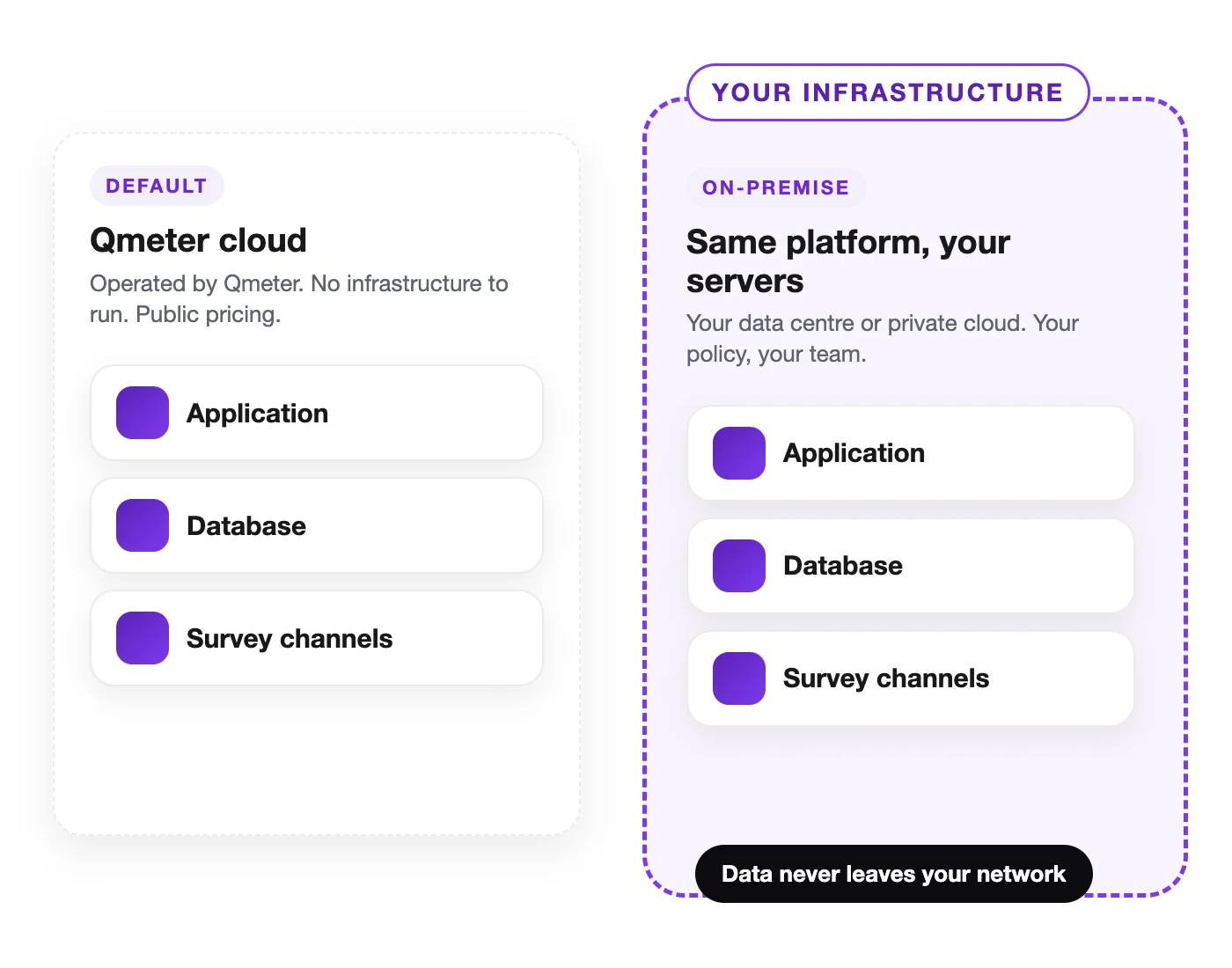
Most customers run Qmeter in the cloud and go live in a day. Organisations whose policies require complaint data to stay inside their own infrastructure — banks, government bodies, healthcare providers — can run Qmeter on-premise, with the same ticketing, SLA and analytics features. Security controls are described on security and GDPR.
How to set up complaint management in Qmeter
- Set up branches and services so every complaint carries a location and a service type.
- Define SLAs for first response and resolution per priority (Ticketing → Settings → KPI).
- Build the classification — labels, root causes and actions your teams will choose from when closing cases.
- Connect the ticket mailbox so email replies to customers are sent and received inside the case.
- Create generation rules that open tickets from negative ratings or keywords, with owners and escalation levels.
- Publish the channels — kiosks at branches, QR codes, web forms, SMS or email campaigns.
- Review daily and monthly — the “Needs your attention” list every morning, the ticketing dashboard and root causes every month.
Pricing is public on the pricing page, and you can start with a 14-day free trial.
Frequently asked questions
What is a complaint management system?
A complaint management system is software that captures customer complaints from every channel, registers each one as a case with an owner and deadline, tracks responses and escalations, records the root cause and action at closure, and reports on volumes, response times and recurring causes.
What features should complaint management software have?
Look for multi-channel intake including physical locations, automatic case creation, assignment rules, first-response and resolution SLAs, automatic escalation, two-way customer communication, a full audit trail, root-cause classification, reporting and data-protection controls.
How does Qmeter create complaint tickets automatically?
Ticket generation rules watch incoming feedback. When a rating, keyword or condition matches, a ticket opens with the comment, branch, service and channel filled in, assigned to the right owner with a priority, SLA and escalation chain.
Is Qmeter suitable for bank complaint management?
Yes. Banks use Qmeter to collect complaints at branches and online, apply response and resolution deadlines, escalate overdue cases, keep a complete record of each case, restrict access by branch and report on causes. Your compliance team defines the policy; Qmeter runs and documents it.
Can complaints received by phone or letter be added?
Yes. Staff can enter complaints from phone calls, letters, a complaint box, social media or walk-ins as external feedback or as a new ticket, so every complaint is in the same register and reports.
Can Qmeter be installed on-premise?
Yes. Qmeter is available as a cloud service or on-premise inside your own infrastructure, with the same complaint, SLA and analytics features.
Measure it at every location — live in one day
Feedback kiosks, QR and web surveys, SMS and email, real-time alerts and follow-up tickets in one platform. 14-day free trial.
✓ 15 minutes · ✓ No commitment · ✓ A real CX person