Multilingual surveys

Multilingual surveys in 100+ languages, including Arabic

Qmeter is multilingual survey software: you build one survey, add the languages you need and translate every question with AI or by hand. The customer picks their language on the kiosk, the phone or the web page, and every answer lands on the same dashboard regardless of language.

Built for airports, hotels, hospitals, banks and public services where customers speak many languages. Arabic, English, Russian, Turkish and 100+ more on the same template.

See pricing

20 minutes on your own survey. No preparation needed.

1000+companies use Qmeter
2M+feedbacks collected
17+years in customer experience
Front-desk host welcoming international guests in a hotel lobby
Definition

What is a multilingual survey?

A multilingual survey is one survey that exists in several languages at once, so each customer answers in the language they speak and the results are compared as one data set.

  • One template: questions, logic and reporting are shared across languages.
  • Translation inside the builder: AI draft, human review.
  • The customer chooses: a language switch on every screen.

The survey questions themselves: customer satisfaction survey questions.

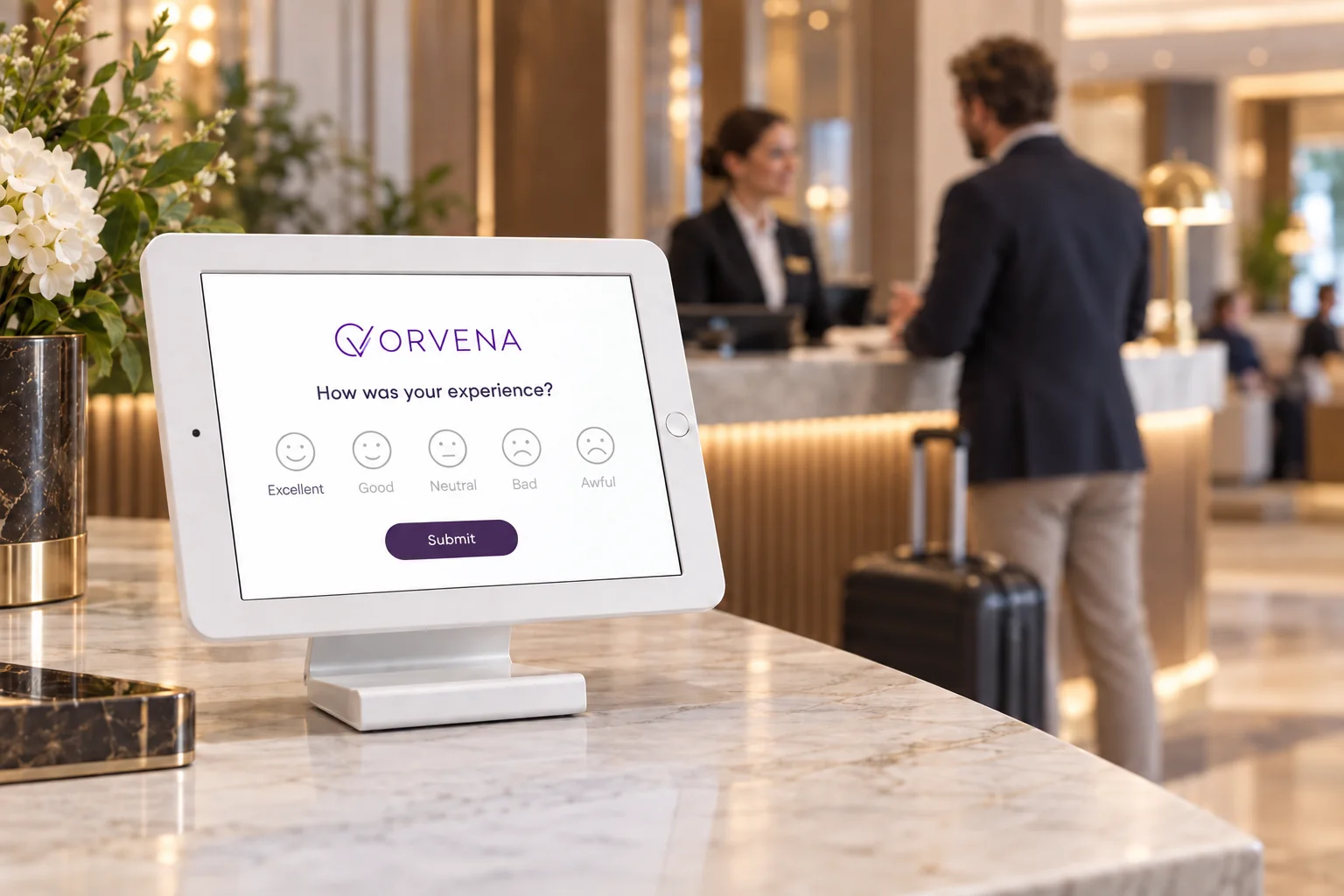
Guest feedback at a hotel reception
Fit check

Is Qmeter the right multilingual survey software for you?

An honest answer before you book a call.

A strong fit when

  • Your customers speak several languages at the same counter, gate or lobby.
  • You need Arabic alongside English and other languages on the same survey.
  • You want one report across languages, not one survey per language.
  • The survey must run on kiosks, QR codes, SMS and the web in every language.
Not the right tool when

  • You need certified legal or medical translation. Qmeter gives you an AI draft and a place to edit it; certification is your translator's job.
  • You need academic research questionnaires with per-language validation studies.
How it works

From one survey to every language your customers speak

Four steps, one platform. The screens below are the live product on a demo account.

01

Build the survey once

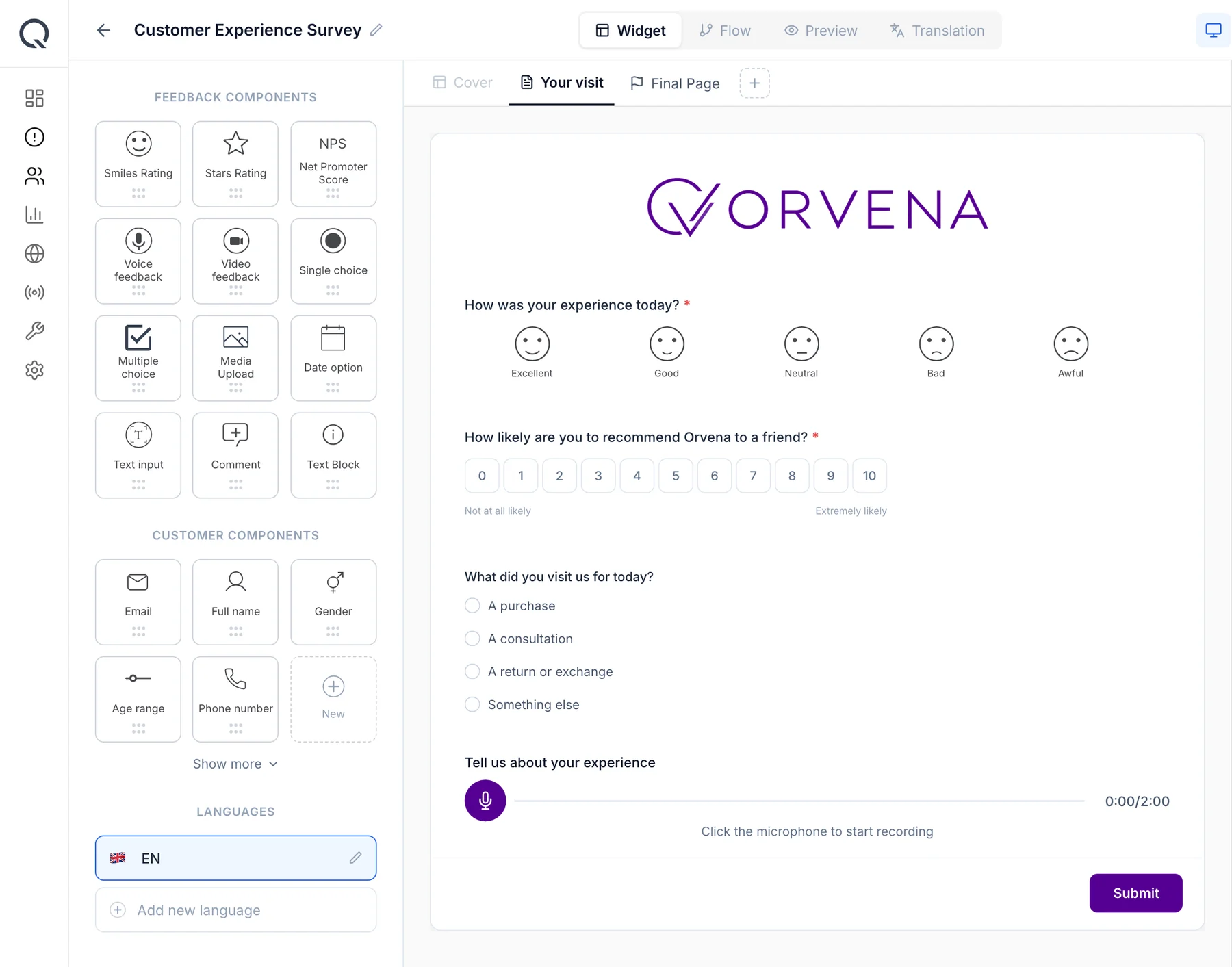
Smiley, star and NPS questions, single choice, comments, voice and video, with logic that shows a follow-up only after a low rating. English is the default language of the template.

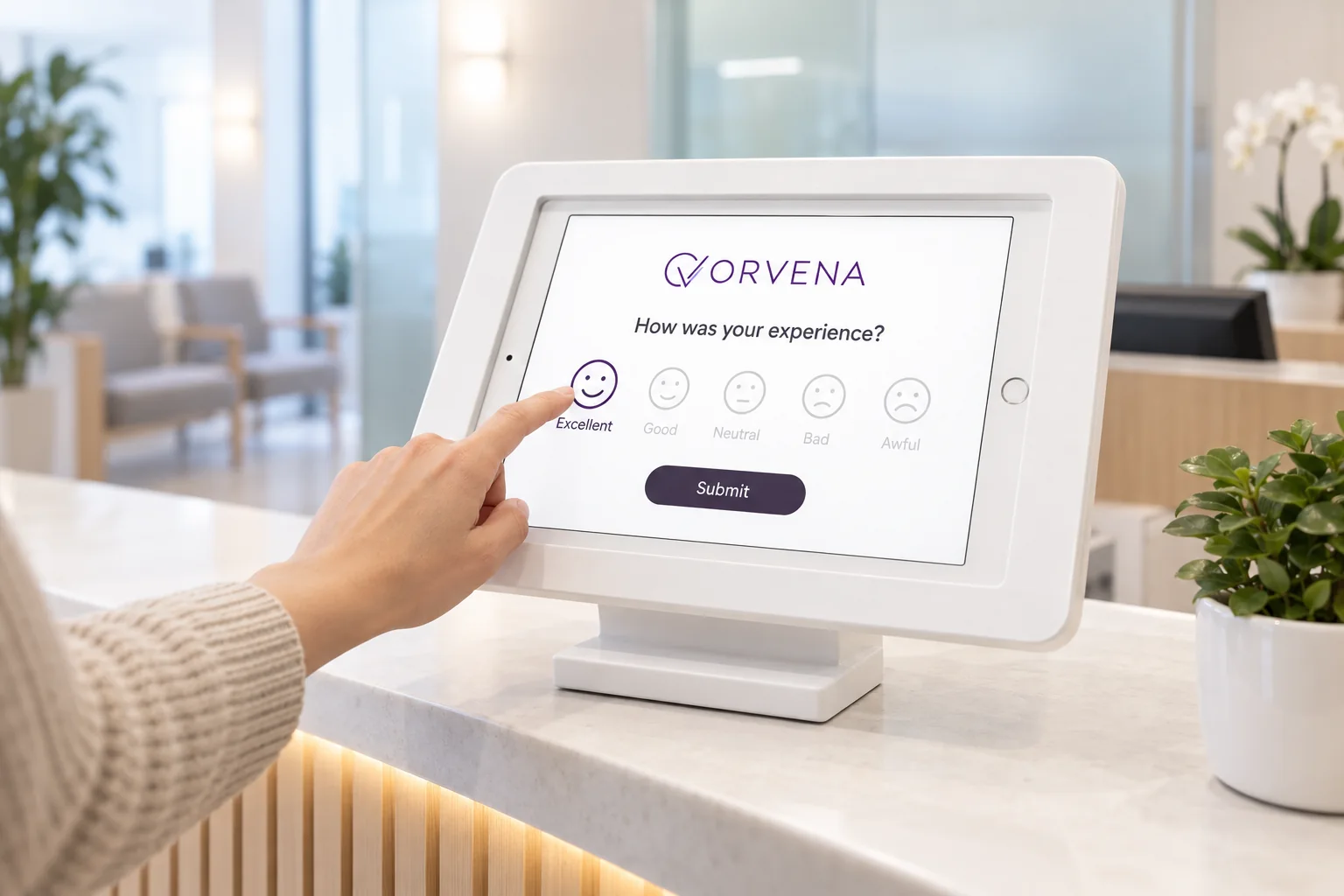
Qmeter survey builder: ORVENA logo, a smiley question, the NPS scale, a single-choice question and voice feedback
02

Add languages and translate

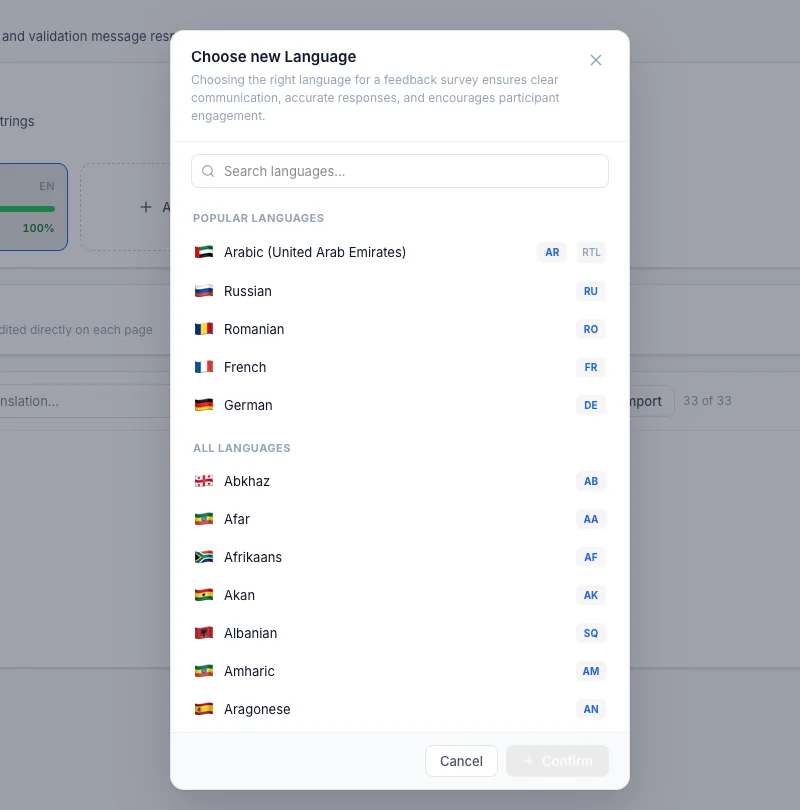
Open the Translation tab, add a language and either type the translations or press Translate all to that language to let AI draft them. Your team reviews and edits before publishing.

Qmeter survey builder, Translation tab: choosing a new language, with Arabic (right-to-left), Russian, French, German and 100+ more
03

The customer picks the language

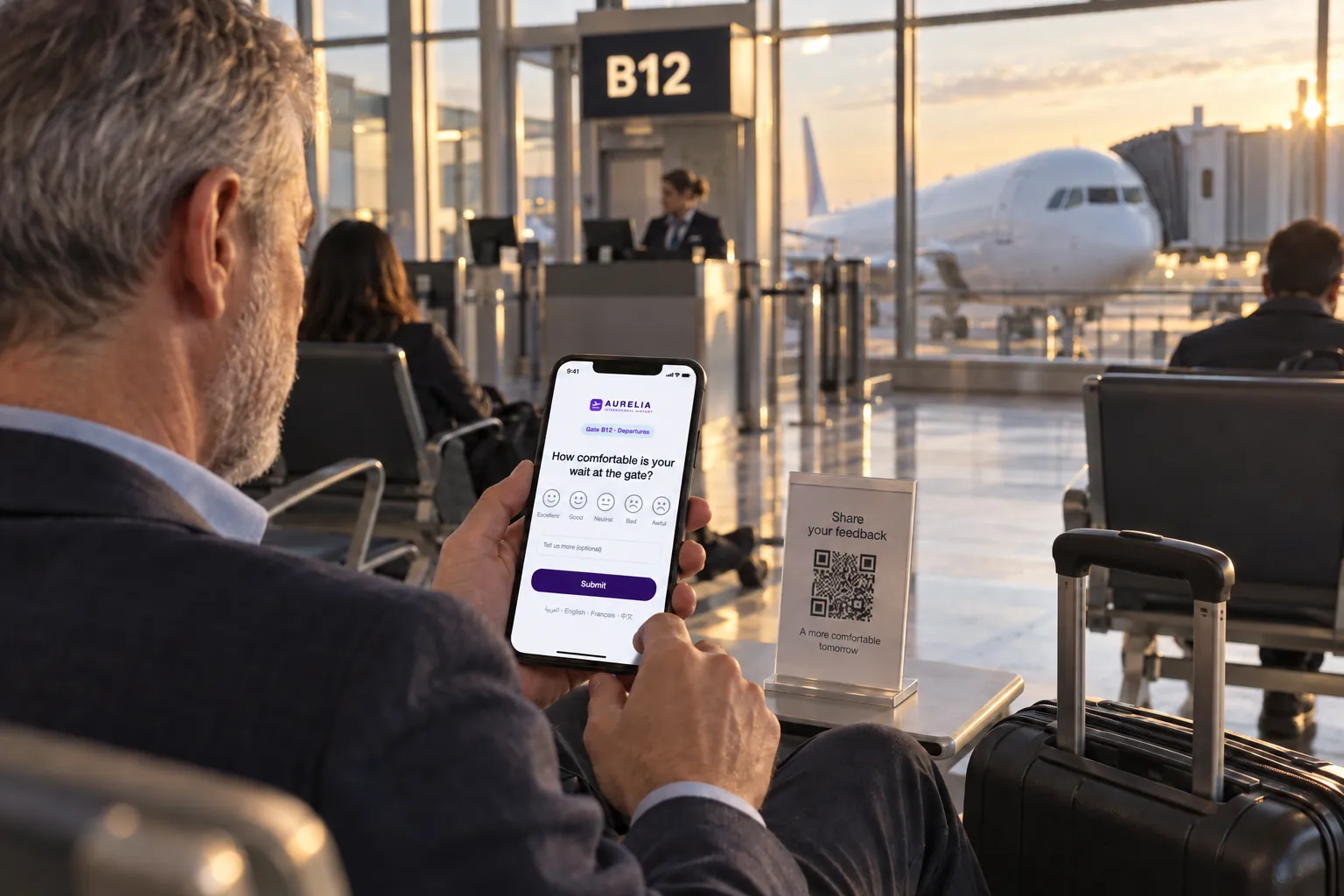
A language switch sits on the kiosk screen, the phone survey and the web page. Right-to-left languages such as Arabic are laid out correctly.

Passenger at gate B12 answering the gate survey on his phone after scanning a QR code on the side table
04

One dashboard for every language

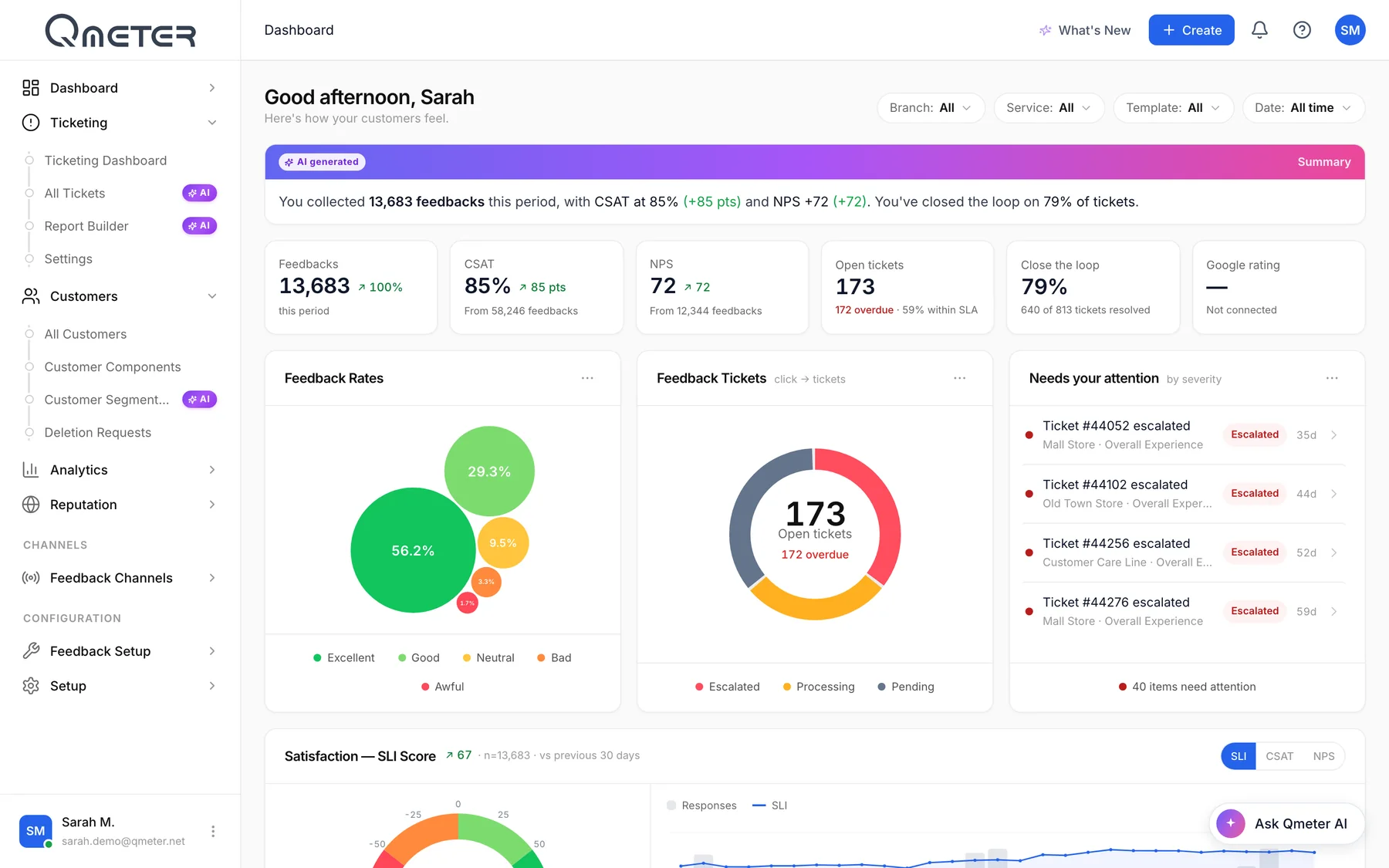
Answers from all languages land in the same reports, so a branch serving Arabic, English and Russian speakers gets one score, one trend and one ticket queue.

Qmeter dashboard: AI summary, CSAT 85%, NPS +72, open tickets, feedback rates and tickets needing attention

Dashboard and ticket screens are the live Qmeter product on a demo account with illustrative data; survey screens show a sample client brand.

Where it runs

Where customers speak many languages

Four places where a multilingual survey is the only kind that works.

What is included

What Qmeter does for multilingual surveys

Product facts, not promises. Everything here is in the platform today.

100+ languages

Add any language to a template; English is the default.

AI translation

Translate all questions to a language in one click, then edit.

Human review

Every translation is editable before the survey goes live.

Language switch on screen

The customer chooses the language on kiosk, phone and web.

Right-to-left layout

Arabic and other RTL languages display correctly.

One report across languages

Scores, trends and tickets are shared, not split by language.

Every channel

Kiosk, QR, SMS, email and web use the same translated template.

Learn more →

Offline capture

Translated surveys keep running on the tablet without Wi-Fi.

Learn more →

On-premise option

Run the platform on your own servers.

Learn more →
How it compares

One multilingual survey or one survey per language?

Two ways to serve customers who speak different languages, and where each one usually stops.

QmeterTypical alternatives
Building the surveyOne template, translations added inside the builderA copy of the survey per language, kept in sync by hand
TranslatingAI draft for all questions, then human editsExport to a spreadsheet, translate, import
Choosing the languageThe customer switches on the screenSeparate links or QR codes per language
ReportingOne dashboard, one score per branchResults split by survey and merged manually
ChannelsKiosk, QR, SMS, email and web share the translationsTranslations often exist for the web form only

General observations about product categories, not claims about any named vendor; check each product's current documentation.

Data protection

Protected in every language

A rating needs no personal data. When a survey collects more, the platform treats it as a liability to protect.

Anonymous by default

Ratings carry no personal data; contact fields are optional.

AI with no customer data

AI translation works on your question texts, not on customer answers.

Masking and audit

Email and phone are masked; revealing them needs a permission and is logged.

On-premise option

Enterprise deployments can run Qmeter on your own servers with the same features.

The full data-protection picture, including masking, deletion flows, retention and deployment options, is on the security & GDPR page.

FAQ

Multilingual surveys, answered

Short, honest answers. For anything else, talk to our team.

How many languages does Qmeter support?›

More than 100. You add a language to a survey template in the Translation tab; English is the default language. Arabic, Russian, Turkish, German, French, Chinese and many more are available.

Keep exploring

Where to go deeper

Get started

One survey, every language your customers speak

Show us your survey and we will add your languages, translate it with AI and run it on a kiosk and a phone, in 20 minutes.

See pricing