The whole screen flips
Scales run from right to left, the “next” button sits where an Arabic reader expects it, numbers and dates follow the locale. Urdu uses the same mechanics with its own script.
A right-to-left survey kiosk shows the whole survey mirrored for Arabic and Urdu readers: the language choice is on the first screen, scales, buttons and the comment box flip direction, and comments are stored in the original language.
For service centres, hospitals, retail chains and hotels in the Gulf, where customers speak Arabic, English and Urdu in the same queue.
A named person at Qmeter replies within one business day, in Arabic or English.

Most survey tools translate the text and leave the screen left-to-right. Arabic readers notice in half a second, and many walk past.
Scales run from right to left, the “next” button sits where an Arabic reader expects it, numbers and dates follow the locale. Urdu uses the same mechanics with its own script.
Large buttons in each language's own script, no flag guessing, no settings menu. The kiosk resets to that screen after every answer.
An Arabic comment is stored as written and shown to a non-Arabic manager with AI translation beside it. Nothing is paraphrased away.
Write the survey once; the language and the direction follow the reader, on kiosks, tablets, QR codes and SMS, in Arabic, Urdu, English and 100+ languages, with AI translation so the team reads every comment in its own language.
Build the survey in the editor in any base language: a smiley or 1–5 rating, a follow-up on low ratings, an optional comment by text or voice.
Each language is a column; fill it by hand or with “Translate all to…” and have a native speaker review. Direction is set per language automatically; see multilingual surveys.
The same template runs on the feedback kiosk, on a QR code at the counter and in an SMS after the visit, so results by language and location are comparable on one dashboard.
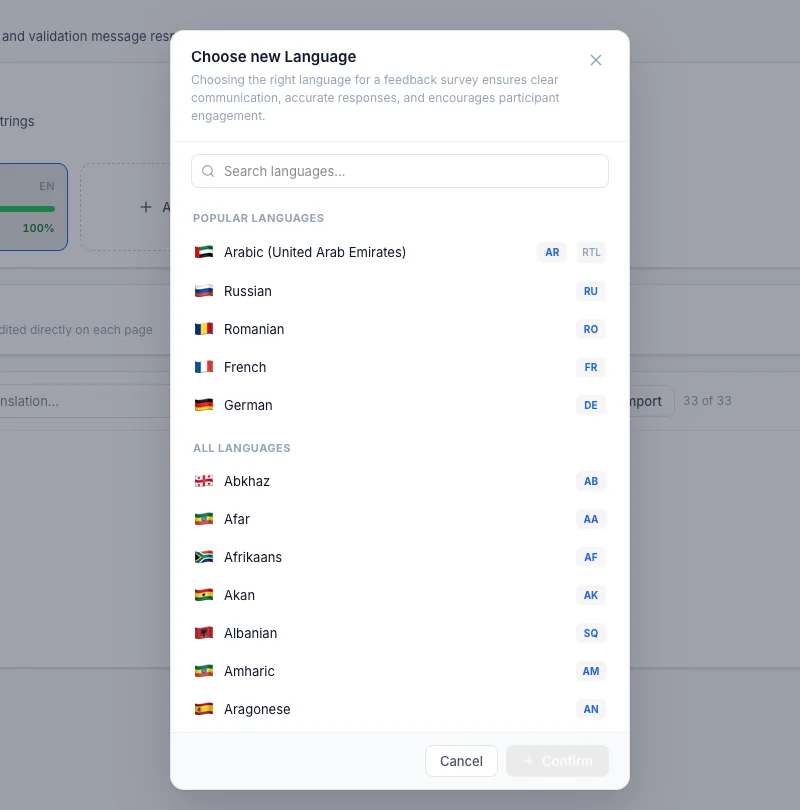
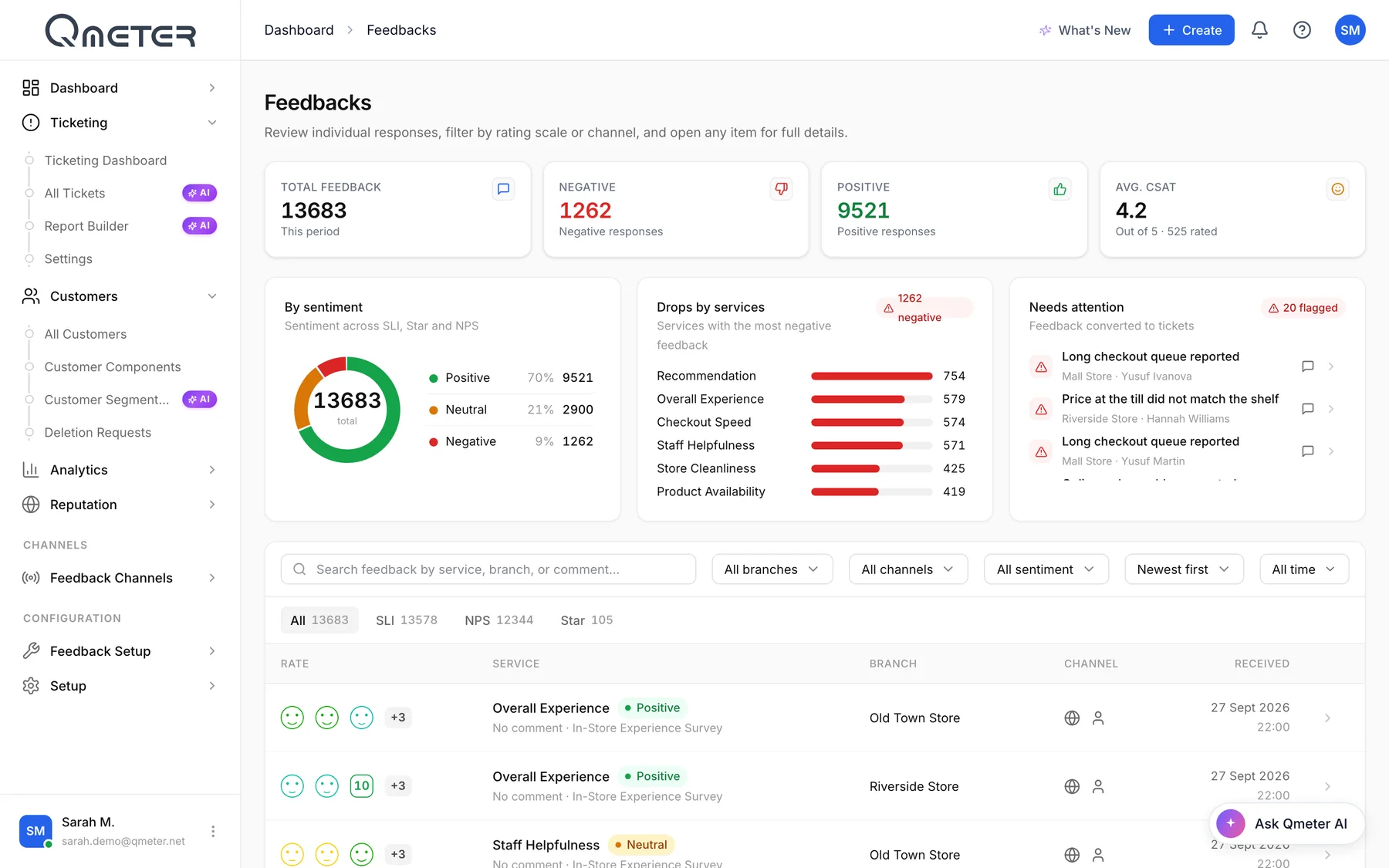
Two real screens: the translation tab where languages are managed, and the feedback list where comments arrive in every language.
Every question and answer option has a column per language. AI fills a new language in seconds; your reviewer corrects tone and dialect. Right-to-left is applied to Arabic and Urdu columns when they render on the device.
Feedback arrives tagged with the language the customer chose. Managers filter by language, branch and rating, read the original and the translation side by side, and open a case from the comment itself.
Wherever Arabic, English and Urdu speakers stand in the same queue.
Citizens and residents of many nationalities in one hall; the happiness question must read naturally to all of them. See citizen feedback kiosk.
Patients answer about care they received minutes ago; a mirrored layout removes the last excuse not to. See the bilingual patient kiosk.
Checkout and service desks where staff and customers switch language mid-sentence; the kiosk follows the customer.
Guests from the region and abroad on the same QR code at checkout; comments arrive in Arabic, English, Urdu and more, translated for the duty manager.
Short answers for CX and IT teams. For a live walkthrough in Arabic, talk to our team.
Arabic and Urdu, with the direction set per language in the template. Other right-to-left scripts can be added as a language column in the same way. Left-to-right languages on the same device are unaffected.
Translation tab, AI translation, 100+ languages on one template.
→The device, the stand, offline mode and placement.
→The bilingual set-up for clinics and hospitals.
→One tap at the exit of a service centre, in the citizen's language.
→Answers stored on the device when the network drops.
→Bring your survey in Arabic or English; we add the other languages, set the direction and show it on a kiosk and a QR code in one session.