Small teams, direct effect
In a municipality the person who reads the feedback is often the person who can fix it — the head of the permits office, the customer service lead. Feedback shortens that loop to hours.
A local government feedback tool lets a municipality or council collect resident feedback at the point of service — a kiosk at the town hall exit, a QR code at the permits counter, an SMS after a payment — and see it per office, service and week. Qmeter is that tool: billed on responses so a single office can start, with the same dashboard scaling to every department as they join.
A council does not need a national programme to begin. One tablet at the busiest counter produces a number the mayor can read on Monday morning.

Permits, registrations, payments, waste, parking: the services a resident actually touches decide whether the municipality is trusted. Most councils have no number for any of them.
In a municipality the person who reads the feedback is often the person who can fix it — the head of the permits office, the customer service lead. Feedback shortens that loop to hours.
A resident satisfaction survey every two years averages the good office with the bad one. Continuous feedback shows which counter, which service and which week — while it can still be corrected.
Satisfaction per service and office is a KPI a council can set targets on and publish. Measured feedback is harder to argue with than anecdotes.
The plan is billed on responses, so the cost follows your footfall. Add offices and services when you are ready; the dashboard already knows how to compare them.
Usually permits, registration or payments. Put a tablet at the exit or a QR code on the counter — see the citizen feedback kiosk page for the options.
“How was your visit today?” with a follow-up asking why. Qmeter's AI drafts the survey from your service list; you approve it in minutes and it runs in the languages your residents speak.
The dashboard shows each office and service side by side. A low rating opens a case for the responsible manager with a deadline — the same mechanics as our complaint management page.
Leadership sees one comparable score; each office sees its own. Nobody argues about whose number is right.
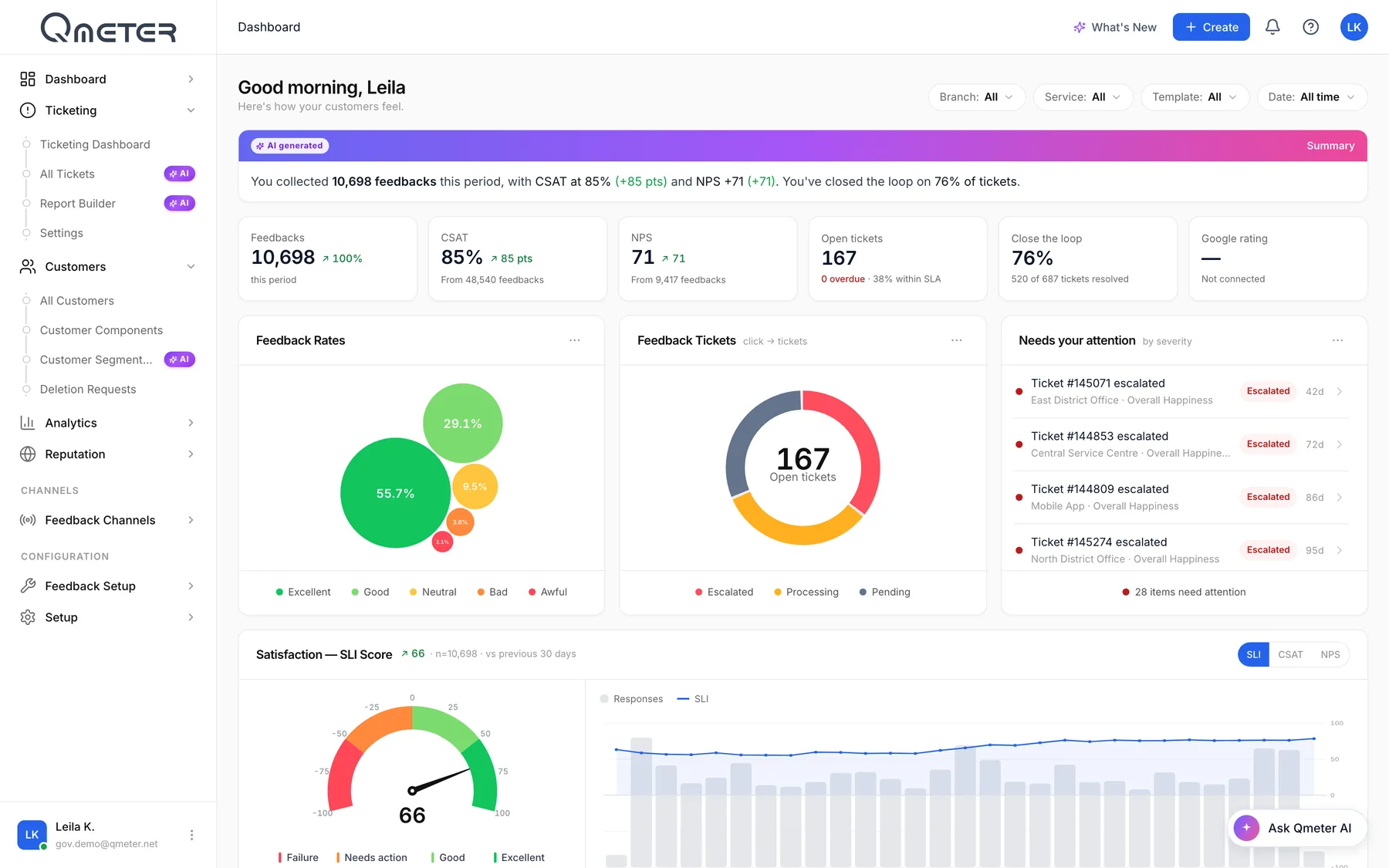
The main dashboard filters by office, service and period. A satisfaction score, open cases, and the themes the AI found in residents' comments — waiting time, staff attitude, unclear forms — sit on one page.
A cashier window, a waste collection point, a parking office: an acrylic QR stand opens the same 30-second survey on the resident's phone. No app, no login — the code carries the office and the service.

The order below is the one most councils follow: start where the queues are, then widen.
The highest-friction counters. Waiting time and document requirements are the usual themes.
Short interactions, high volume — an SMS after the payment works as well as a kiosk.
One-stop shops with many services under one roof: measure per service, not per building.
Field services and offices that residents call about most — feedback after the call or the visit.
Short, honest answers. For a proposal for one office, talk to our team.
Qmeter pricing is public and billed on responses, so a single office pays for its own volume; kiosks and tablets add a Device License per device. There are no per-user fees and no implementation project — see the pricing page.
The full citizen feedback platform for ministries, agencies and municipalities.
→Exit kiosks and counter tablets for service centres, offices and clinics.
→Owners, SLA timers, escalation and audit trail for every complaint.
→SMS, email and portal surveys after online transactions.
→What to measure, verified feedback versus opinion polls, how to start.
→Plans billed on responses, device licences, Enterprise for national programmes.
→Pilot the busiest counter in days — 14-day free trial, AI builds the first survey from your service list, and every further office joins the same dashboard.