Tied to one real case
The survey carries the service, the channel and the transaction reference. The answer is about this permit renewal on this portal — not about “the government website” in general.
An e-government satisfaction survey asks the citizen about a specific digital transaction — a permit, a certificate, a payment — seconds after it completes, by SMS, email, an in-app prompt or on the portal itself. Qmeter ties each answer to the service and the channel, so an agency sees which digital service loses citizens and why, and can compare it with the same service at the counter.
Digital services fail silently: an abandoned application never files a complaint. A one-question survey at the end of the transaction is the only signal most portals ever get.

Response rates and accuracy both fall with every hour that passes. A survey sent the same evening is answered by a different person than the one who just struggled with the form.
The survey carries the service, the channel and the transaction reference. The answer is about this permit renewal on this portal — not about “the government website” in general.
For digital services the useful question is often “How easy was it?” (CES) rather than “How satisfied are you?”. Qmeter runs both — our NPS vs CSAT vs CES guide explains when to use which.
The same service is often available online and at the counter. Only when both are measured the same way can an agency see whether the portal is actually better — and where citizens give up and come in person.
Choose the channel per service; the survey template and the dashboard are shared.
The portal or payment system calls Qmeter's API when a transaction completes; the citizen receives a link to a 30-second survey. Sending can be limited per citizen per period.
An embedded widget or a pop-up at the confirmation page asks the question without leaving the site. In-app prompts work the same way for a government mobile app.
A low score or a comment about a broken step opens a case for the digital service owner with an SLA — the same complaint workflow used at the counter.
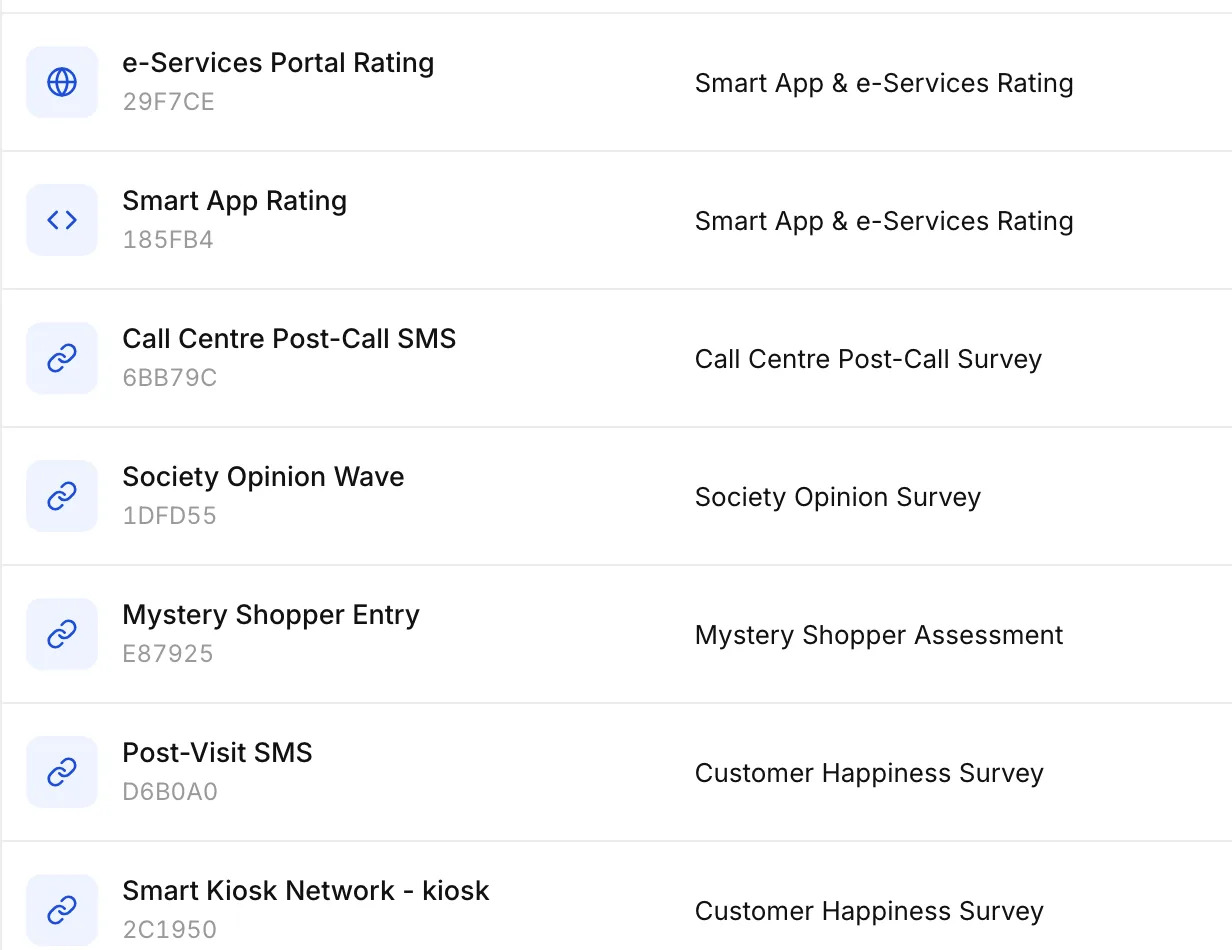
Each digital service gets its own channel and its own line on the dashboard. The portal rating, the app rating and the post-call SMS are separate channels of one survey.
In Qmeter each entry point is a channel: the e-services portal rating, the mobile app rating, the post-call SMS, the post-visit SMS. Channels are created in minutes, shared as a link, QR or embed, and paused or changed without touching the portal's code.
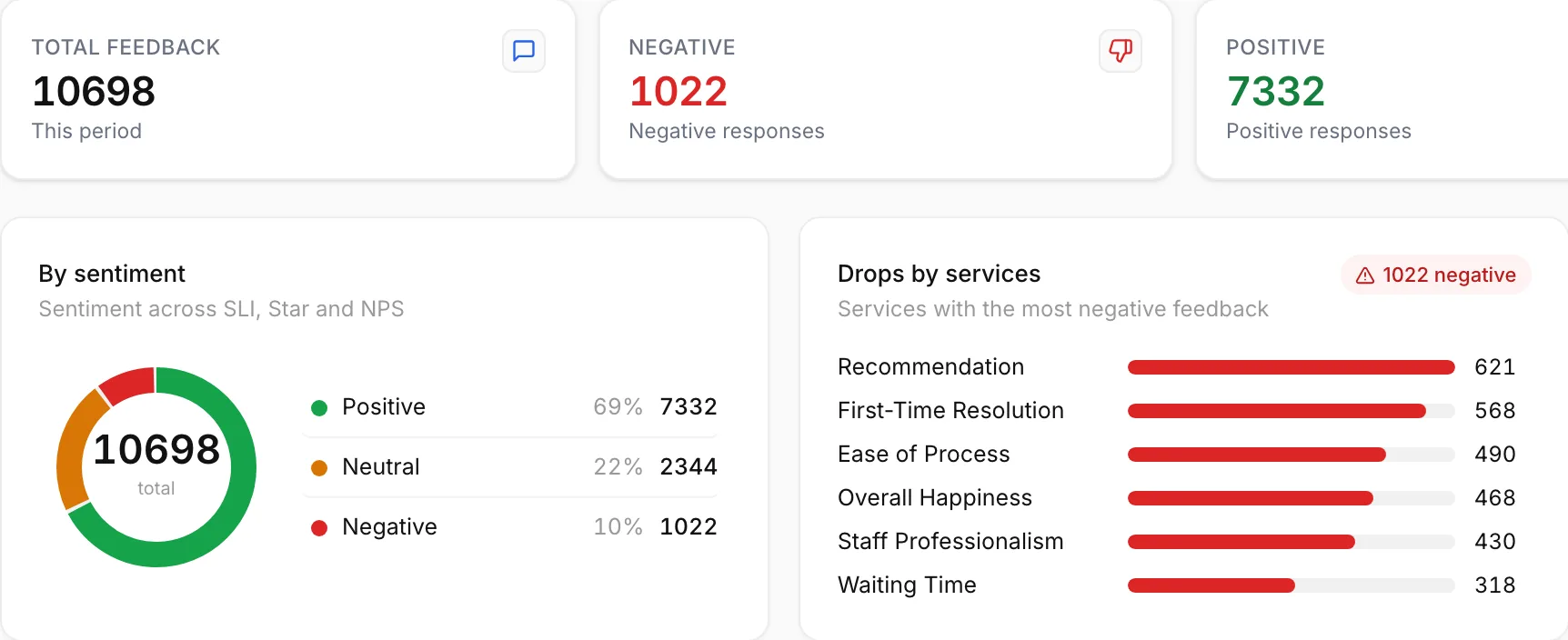
The Feedbacks view ranks services by negative responses and groups comments by theme. When “ease of process” on the portal falls behind the counter, the digital team knows which step to fix.
Start with the transactions citizens complete most often — and the ones they abandon most.
Multi-step applications with document upload — the classic drop-off point.
Short and frequent: an SMS survey after the receipt has the highest response rate.
Ask whether the booking was easy — and whether the appointment then happened as promised.
A post-call SMS closes the loop on the channel citizens use when the portal fails them.
Short, honest answers. For an integration plan with your portal team, talk to our team.
Your portal, payment gateway or case system calls Qmeter's API when the transaction completes; Qmeter sends the SMS or email, or the confirmation page shows the embedded widget. No citizen data has to be stored in Qmeter beyond what you choose to pass.
The full citizen feedback platform across counters, kiosks, portals and calls.
→The physical counterpart: one question at the exit of the service centre.
→What happens when a digital service gets a bad rating.
→How transactional surveys are sent, throttled and tracked.
→Triggering surveys from portals, payment systems and CRMs; on-premise deployment.
→Which metric fits a digital transaction, and why effort matters online.
→Add a post-transaction survey to one portal service in days — 14-day free trial, API and embed options, on-premise for national programmes.