Each touchpoint gets its own score
Entrance and ticketing, every gallery, the temporary exhibition, café, shop, washrooms and exit are measured separately, so a dip in the café never hides inside a good overall score.
Museums measure the visitor experience by asking one short question wherever the experience forms: entrance, galleries, café, shop, washrooms and exit, on multilingual kiosks and QR codes. Each answer carries the place, language and time, so scores appear live per gallery.
For museums, galleries, heritage sites and cultural districts that report visitor satisfaction to a board, a ministry or a tourism authority.
Qmeter runs visitor feedback for cultural institutions in Abu Dhabi.
The benchmark tool is free and runs in your browser. A named person at Qmeter replies to every demo request within one business day.

A single question at the exit tells you the average mood of the day. It cannot tell you which exhibition, which language group or which hour produced it.
Entrance and ticketing, every gallery, the temporary exhibition, café, shop, washrooms and exit are measured separately, so a dip in the café never hides inside a good overall score.
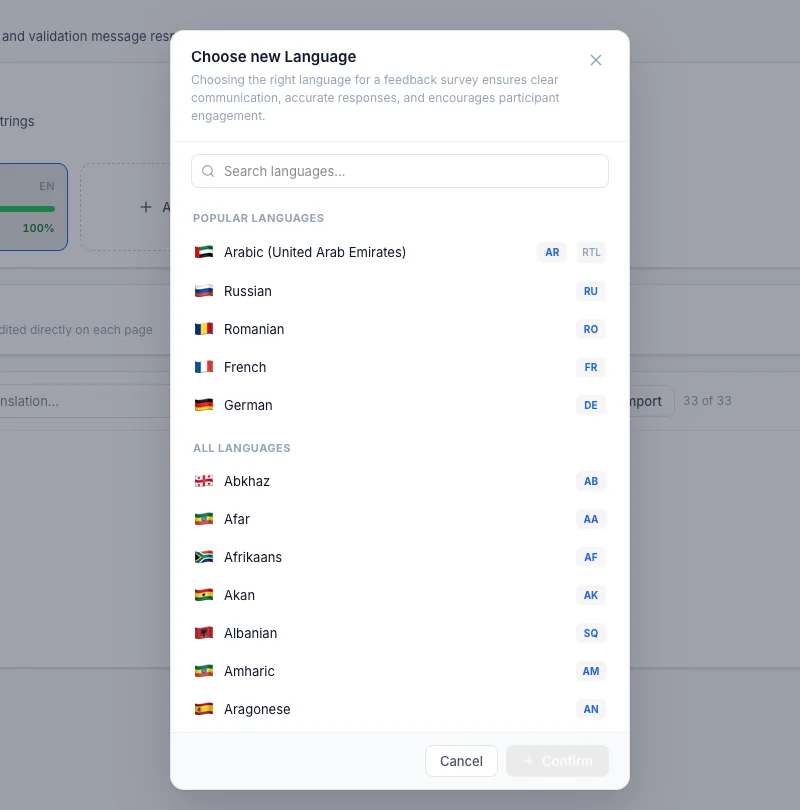
Kiosks and QR surveys open in the visitor's language. Surveys are translated with AI and checked by your team, so the answers reflect all visitors, not only those who read English.
A low rating with a comment alerts the floor team immediately. A visitor who reports a closed lift or a crowded gallery can still be helped before leaving.
The whole programme runs on the same surveys, so galleries, seasons and sites compare like for like: NPS and CSAT per gallery and exhibition, a low rating with the floor team within minutes, and the season's results to the board as one report.
A kiosk at the exit and the temporary exhibition, QR codes in galleries, on café tables and in the shop, a wall-mounted screen at the washrooms. Each point carries its own name in the data.
A smiley or a 0–10 question in the visitor's language, then an optional reason only when the rating is low. Visitors answer in seconds; the comment arrives with the gallery and the time.
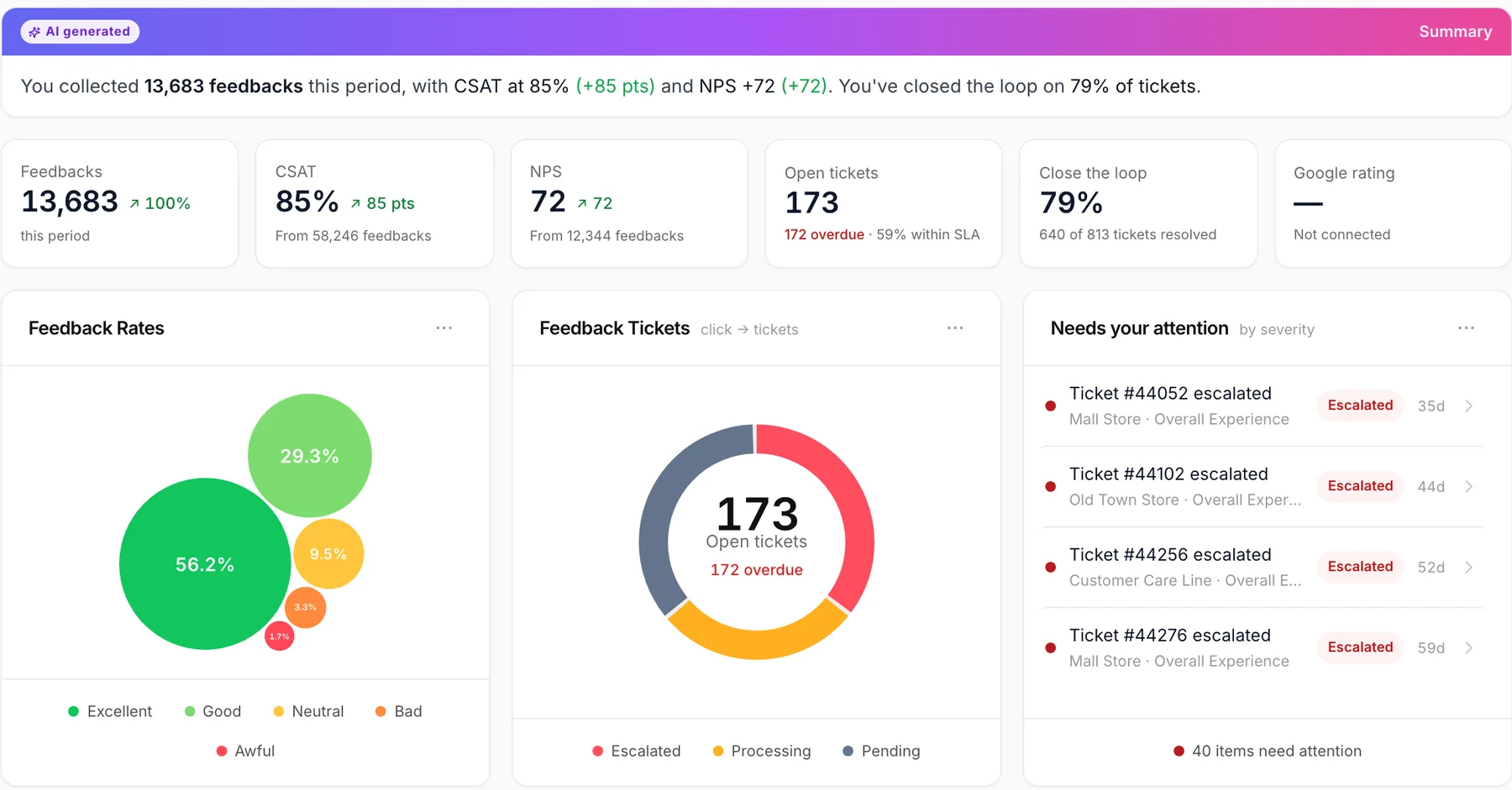
NPS and CSAT per gallery, exhibition, language and hour on one dashboard. A low rating opens a ticket for the floor supervisor with a deadline; the resolution is recorded.
Scheduled reports go to the director and the board weekly or per season, with the same metrics the tourism authority asks for: NPS, satisfaction per question and response counts.
Enter your visitor numbers and survey results. The tool shows whether your sample is large enough, how far a score can be trusted and what to compare it against. Nothing is sent until you ask for the report by e-mail.
Real screens from a demo workspace. The same data, two views: the live floor and the season.
Satisfaction and NPS per touchpoint, exhibition and language, with response counts, so a strong score on 40 answers is never confused with a strong score on 4,000.
One survey, translated with AI into the languages your visitors speak and reviewed by your team in the translation tab. The kiosk switches language with one tap; the results stay comparable.
Curators, front-of-house, operations and the director need different views of the same visit. The programme serves all four without four systems.
A dedicated touchpoint for each exhibition, compared with the permanent collection and with the previous exhibition in the same space.
Several museums and heritage sites on one account, each with its own dashboard and one consolidated report for the authority.
Café, shop and ticketing measured with the same scale as the galleries, so the commercial team and the curators read one number.
Visitor experience metrics such as NPS and satisfaction per question exported per period, ready for a tourism or culture department's reporting template.
Short answers for operations, curatorial and management teams. For a walkthrough on your own floor plan, talk to our team.
With one short question at each touchpoint: a kiosk at the exit and at temporary exhibitions, QR codes in galleries, the café and the shop, and a screen at the washrooms. Every answer carries its place, language and time, so satisfaction and NPS are visible per gallery and hour on a live dashboard, and a low rating alerts the floor team within minutes.
The full visitor experience solution for museums, galleries and attractions.
→What the Abu Dhabi Visitor Experience Guidelines mean for feedback collection.
→How to read a museum NPS: sample size, seasonality, comparisons.
→The kiosk at the exit and the temporary exhibition: online and offline.
→AI translation, right-to-left Arabic, one question set in every language.
→How a low rating becomes a ticket with an owner and a deadline.
→Run the programme on one exhibition for a season. We set up the touchpoints with your team, in your visitors' languages, and the first report goes to your director in the first week.