Airport passenger satisfaction survey template
✓ Cloud or on-premise · ✓ Kiosk, QR, SMS, email and web · ✓ Live in one day
This airport passenger satisfaction survey template is a ready-to-use question set: one overall rating, one question per touchpoint — check-in, security, washrooms, wayfinding, shops and dining, gate — plus recommendation and an open comment. Run three-question versions on kiosks at each touchpoint and the full version through QR codes at gates.
The airport passenger satisfaction survey template
This page is the copy-and-use question set. If you are still designing your programme — which touchpoints to cover, how to sample, how airports structure their measurement — start with our guide to the airport passenger satisfaction survey and come back here for the questions.
Airports are measured touchpoint by touchpoint because each one has a different owner: the airline or handler at check-in, the security provider, facilities for washrooms, commercial for shops and dining. The template therefore uses one short question per touchpoint with a “Did not use” option, so every answer can be routed to the team responsible.
Full version (QR code, email, SMS link or web) — 12 questions
- Overall, how satisfied are you with your experience at the airport today?
Answer type: 1–5 smileys (Very dissatisfied → Very satisfied), required - Are you departing, arriving or connecting?
Answer type: Single choice: Departing · Arriving · Connecting - How would you rate the check-in or bag drop process?
Answer type: 1–5 stars + “Did not use” (e.g. online check-in, hand luggage only) - How long did you wait at security screening?
Answer type: Single choice: Under 5 min · 5–10 min · 10–20 min · Over 20 min - How courteous and helpful were the security staff?
Answer type: 1–5 stars - How easy was it to find your way around the terminal?
Answer type: 1–5 scale (Very difficult → Very easy)
Wayfinding complaints are often fixed with signage rather than staff. - How clean were the washrooms you used?
Answer type: 1–5 stars + “Did not use” - How would you rate the shops, food and drink options?
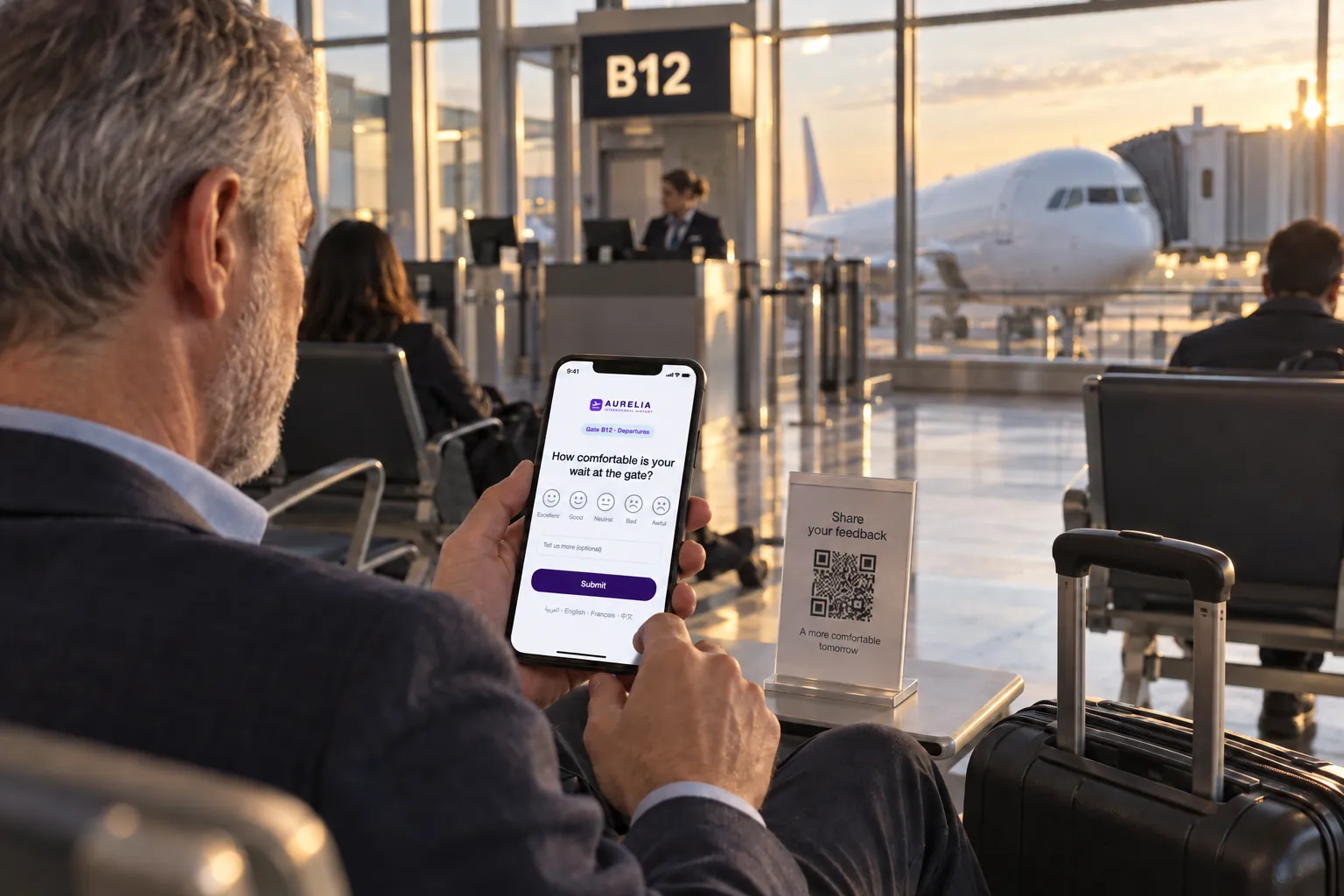
Answer type: 1–5 stars + “Did not use” - How comfortable was the gate or waiting area (seating, charging points, temperature)?
Answer type: 1–5 stars - How likely are you to recommend this airport to a friend or colleague?
Answer type: 0–10 scale (Net Promoter Score) - What one thing would most improve your journey through our airport?
Answer type: Open text, optional - Which language would you like us to reply in, if you want a reply?
Answer type: Single choice of languages + optional email
International passengers are more likely to leave contact details when a reply in their own language is offered.
Offer the survey in the main languages of your routes, with a clear language switcher on the first screen. A survey in only one or two languages misses a large share of an international passenger base.
Short version for a kiosk or tablet (3 questions)
On kiosks placed at a specific touchpoint, ask about that touchpoint only. The pattern is the same everywhere — rating, reason, optional comment — with the wording adapted. Example for a kiosk after security:
- How was your security screening experience today?
Answer type: 1–5 smileys, required - What could have been better? (shown for 1–3)
Answer type: Multiple choice: Waiting time · Staff courtesy · Instructions · Trays and space · Other - Anything else you want to tell us?
Answer type: Open text or voice note, optional
Kiosk variants for each touchpoint
Use the short pattern above with these first questions and reason lists for other touchpoints:
- Check-in and bag drop: “How was your check-in today?” — Waiting time · Staff · Self-service machines · Baggage fees or rules · Other.
- Washrooms: “How clean is this washroom?” — Dirty floor · No paper · No soap · Bad smell · Overflowing bin · Something broken. See the washroom feedback template for the full setup.
- Passport control or immigration: “How was your passport control experience?” — Waiting time · Staff courtesy · Signage · Automated gates · Other.
- Baggage reclaim: “How satisfied are you with baggage reclaim?” — Waiting time · Damaged bag · Information screens · Trolleys · Other.
- Information desk and assistance services: “How helpful was our team?” — Knowledge · Friendliness · Waiting · Language · Other.
Because every kiosk uses the same 1–5 smiley scale, scores from different touchpoints can be shown side by side and compared fairly. For queue-specific measurement, see airport queue time measurement.
When and where to run it
Passengers move fast through processing areas and slow down at gates. Match the length of the survey to the dwell time:
- Right after security — floor-standing kiosk, short version. Ask about security only; the passenger has just finished it.
- Washroom exits — smiley kiosk, short washroom version. One tap; alerts go straight to cleaning teams.
- Gates and lounges — QR code on seating, tables and pillars, full version. Longest dwell time in the terminal — the best place for twelve questions.
- Baggage reclaim and arrivals hall — kiosk or QR code, arrivals version. Arriving passengers need their own wording; skip departure questions.
- After the trip — email from a loyalty programme, parking or lounge booking, full version. Only where the airport legitimately holds the passenger's contact details.
How to analyse the results
Report the overall score and NPS for the whole airport, but manage by touchpoint. Example: 3,000 responses in a week across 40 kiosks and QR points; overall satisfaction 86%, but washroom satisfaction on one pier is 20 points below the rest.
- By touchpoint and zone: each kiosk is a channel tied to a location, so you can rank piers, washroom blocks and checkpoints.
- By hour: security waits and washroom cleanliness follow flight banks. Plot scores against the hourly schedule.
- Departing vs arriving vs connecting: connecting passengers often struggle most with wayfinding.
- By language: a low score concentrated in one language often reveals a signage or communication gap.
- Waiting time bands vs satisfaction: find the wait at which satisfaction drops sharply and use it as an operational target.
How airports organise this analysis across departments is covered in how airports measure passenger satisfaction.
Closing the loop on low scores
In an airport, closing the loop is mostly about operations reacting within minutes:
- A low score at a washroom or security kiosk sends a real-time alert to the zone's supervisor, with the kiosk location and reason.
- A ticket is created and assigned to the right team — cleaning, security provider, facilities, commercial — with an SLA timer and escalation if not handled.
- The team resolves the issue and closes the ticket with the action taken.
- Passengers who left contact details via the gate survey receive a reply in their chosen language.
Ticket history by zone then shows which issues recur and where staffing or maintenance schedules need to change.
Use this template in Qmeter
Qmeter runs this template on floor-standing kiosks and tablets in kiosk mode across terminals — they keep collecting during network outages — plus QR codes at gates. Each device is a channel tied to a location and zone, surveys run in more than 100 languages, low scores raise tickets routed to the responsible team with SLA tracking, and on-premise deployment is available for airports that require it. See airports for terminal-wide setups, or try it in the 14-day free trial.
Frequently asked questions
What questions should an airport passenger satisfaction survey include?
An overall rating, passenger type (departing, arriving, connecting), one question for each touchpoint — check-in, security, wayfinding, washrooms, shops and dining, gate area — likelihood to recommend and an open comment.
How is this template different from your airport survey guide?
The guide explains how to design and run an airport passenger satisfaction programme. This page is the ready-to-use question set, with kiosk variants for each touchpoint.
Where should airports place feedback kiosks?
Right after security, at washroom exits, at passport control, in baggage reclaim and at information desks. Use QR codes at gates and lounges, where passengers have time for a longer survey.
How many languages should an airport survey support?
At least the main languages of your passenger mix, and ideally all languages served by your routes. Put a clear language switcher on the first screen.
Should every touchpoint use the same rating scale?
Yes. Using the same 1–5 smiley scale everywhere makes scores comparable across touchpoints, zones and terminals.
Can kiosk feedback alert staff in real time?
Yes. Low scores can trigger alerts and tickets to the supervisor responsible for that zone, so cleaning or queue problems are handled within minutes.
Measure it at every location — live in one day
Feedback kiosks, QR and web surveys, SMS and email, real-time alerts and follow-up tickets in one platform. 14-day free trial.
✓ 15 minutes · ✓ No commitment · ✓ A real CX person