CSAT survey template
✓ Cloud or on-premise · ✓ Kiosk, QR, SMS, email and web · ✓ Live in one day
A CSAT survey template asks “How satisfied were you with [the interaction]?” on a 1–5 scale, then one or two follow-ups about what drove the score. CSAT is the share of 4 and 5 answers. Ask it immediately after a specific interaction — a visit, a call, a delivery — and keep the survey under a minute.
The CSAT survey template
CSAT (customer satisfaction score) is a transactional metric: it measures one interaction, not the whole relationship. That makes it the most practical score for operations — it tells a branch, a support team or a delivery crew how today went. The template below is deliberately short; CSAT surveys succeed through volume and speed, not depth.
Replace [the interaction] with what the customer just did: “your visit”, “your call with our team”, “your delivery”, “your appointment”. Be specific — a vague question gets a vague answer.
Full version (QR code, email, SMS link or web) — 8 questions
- How satisfied were you with [your visit today]?
Answer type: 1–5 smileys or labelled scale (Very dissatisfied · Dissatisfied · Neutral · Satisfied · Very satisfied), required
The CSAT question itself. Label every point, not only the ends. - What did you like most? (shown for 4–5)
Answer type: Multiple choice: Friendly staff · Quick service · Knowledgeable advice · Clean environment · Other - What went wrong? (shown for 1–3)
Answer type: Multiple choice: Waiting time · Staff attitude · Problem not solved · Wrong information · Environment · Other
Use show-if logic: each customer sees only question 2 or question 3. - How would you rate the speed of service?
Answer type: 1–5 stars - How would you rate the knowledge of the person who helped you?
Answer type: 1–5 stars - Was your request fully completed today?
Answer type: Single choice: Yes · Partly · No - Anything else you would like to tell us?
Answer type: Open text, optional - Leave your phone or email if you would like a reply.
Answer type: Customer fields (phone / email), optional
Thanks to the branching in questions 2 and 3, every respondent sees seven questions at most; the average completion time is well under a minute.
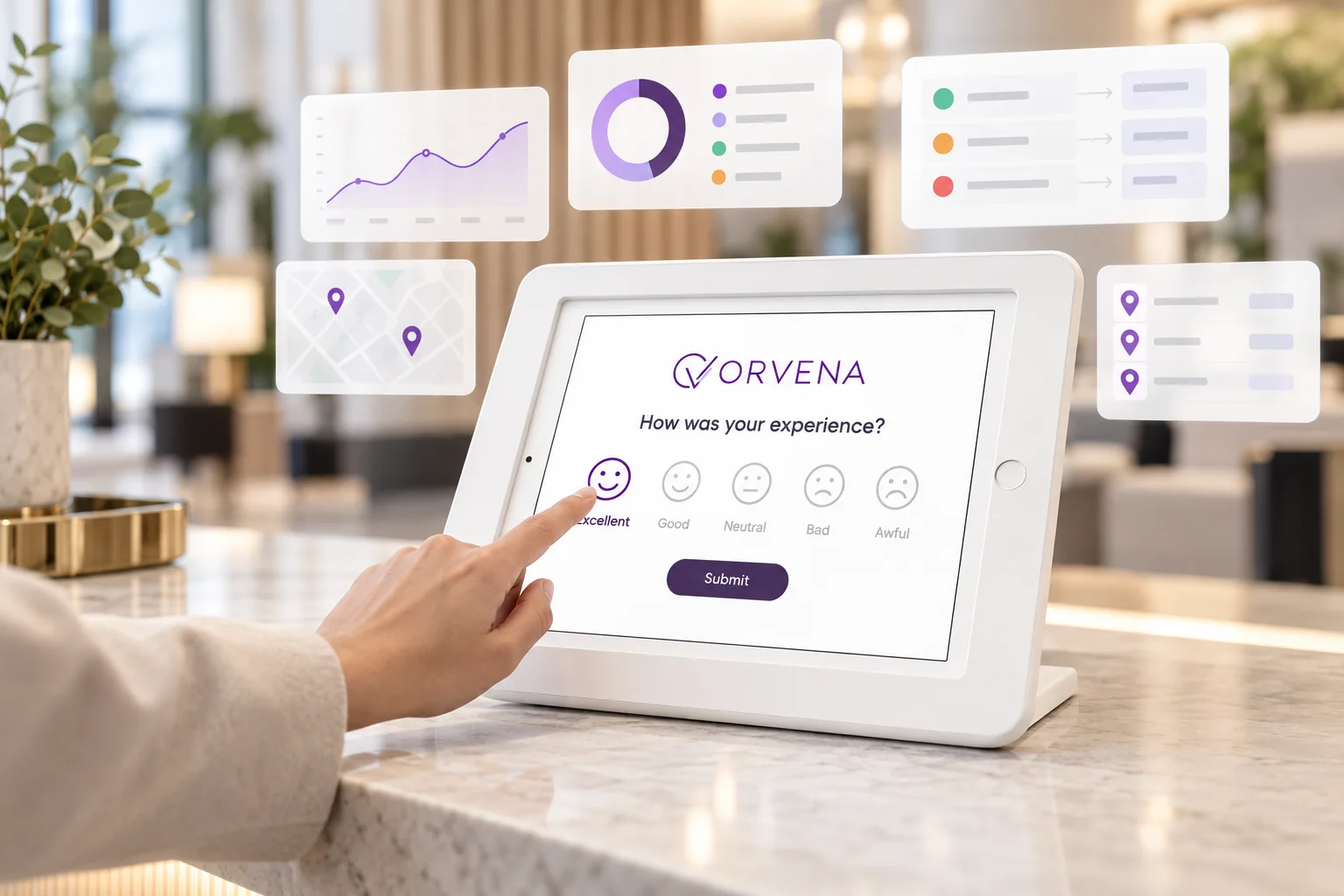
Short version for a kiosk or tablet (3 questions)
The kiosk version keeps the CSAT question and the reason picker, and asks for contact details only when something went wrong:
- How satisfied were you with your visit today?
Answer type: 1–5 smileys, required - What was the main reason for your rating?
Answer type: Multiple choice — positive options after 4–5, problem options after 1–3 - Can we contact you to put it right? (shown for 1–2)
Answer type: Yes / No + phone number
Which CSAT scale should you use?
Three scales are common. All of them work if you use the same one consistently:
- Five smileys — best for kiosks, tablets and any audience with mixed languages or literacy. A face is understood instantly.
- Five labelled points (Very dissatisfied → Very satisfied) — best for email and web, where people read the options.
- Five stars — familiar from online reviews; fine for product or service quality, but customers tend to read three stars as “bad”, which shifts results.
Avoid 1–10 scales for CSAT: they slow people down and make the “satisfied” cut-off arbitrary. And avoid three-point scales: they are quick but hide the difference between “fine” and “excellent”, which is exactly where improvement shows up.
If you are deciding between CSAT and other metrics, our comparison of NPS, CSAT and CES explains which question answers which business question.
When and where to run it
CSAT should be asked within minutes or hours of the interaction. Match the channel to the moment:
- Leaving a branch, store or service centre — kiosk or tablet in kiosk mode, short version. One tap on the way out; the highest volume channel for physical locations.
- At the counter after service — QR code on the desk, full version. Staff can point to it without asking for a rating themselves.
- After a phone or support call — SMS link sent when the call closes, full version. Ask about the call, not the company.
- After a delivery, installation or appointment — SMS or email within a few hours, full version. Name the specific service in the question.
- After an online transaction — web widget on the confirmation page, short version. Keep it embedded — a pop-up gets dismissed.
How to analyse the results
CSAT = (number of 4 and 5 answers ÷ total answers) × 100. Example: 420 responses, of which 357 are 4 or 5 — CSAT is 85%. Some teams report the average score (e.g. 4.3 out of 5) instead; pick one method and stick to it. Our explainer on what CSAT is covers both approaches.
Useful cuts of the data:
- Location by location, with response counts next to each score, so a small branch is not judged on a handful of answers.
- Problem reasons (question 3) ranked by frequency. The top reason is your first improvement project.
- Staff, counter or service type — add a channel per counter or a service selector, then compare.
- Hour of day and day of week. CSAT dips that repeat at the same hours usually mean understaffing.
- Trend lines by week rather than by day; daily CSAT at a single location is too noisy to manage.
Pair CSAT with the share of “No” answers on question 6. A team can be friendly (high CSAT) and still fail to complete requests; the completion rate shows it.
Closing the loop on low scores
CSAT is fast to collect, so problems arrive fast too. Decide in advance what happens to a 1 or 2:
- Instant alert to the duty manager of that location, with the reason and comment attached.
- Automatic ticket with an owner and a response deadline; overdue tickets escalate to the next level.
- Customer contact when details were left — a call the same day often recovers the relationship.
- Root cause recorded on closure, so recurring problems are visible in a monthly review.
More on the process in closed-loop feedback.
Use this template in Qmeter
Qmeter's Template Builder includes Smiles and Stars rating components, choice questions and show-if logic, so this template takes a few minutes to rebuild. Publish it to kiosks (which keep collecting offline and sync later), QR codes, SMS and email campaigns. CSAT is shown live per branch, channel and period, and ticket generation rules turn low ratings into follow-up tickets with SLA timers. The CSAT software page shows the full setup, and you can try it in the 14-day free trial.
Frequently asked questions
What is the standard CSAT question?
How satisfied were you with [the interaction]? answered on a 1–5 scale from very dissatisfied to very satisfied. Name the specific interaction — a visit, a call, a delivery — so the customer knows exactly what they are rating.
How is CSAT calculated?
Divide the number of 4 and 5 answers by the total number of answers and multiply by 100. For example, 357 positive answers out of 420 gives a CSAT of 85%.
What is a good CSAT score?
Many service teams aim for 80% or higher, but scores vary by industry, channel and question wording. Your own trend on the same template is a more reliable guide than any external figure.
How long should a CSAT survey be?
One to three questions on a kiosk and no more than eight in total for SMS, email or QR. CSAT relies on high response rates, so short beats thorough.
What is the difference between CSAT and NPS?
CSAT measures satisfaction with one interaction; NPS measures how likely someone is to recommend you overall. CSAT is best for managing locations and teams day to day, NPS for tracking loyalty over time.
Should I use smileys or numbers?
Smileys on kiosks and tablets, labelled options in email and on the web. Both map to the same 1–5 scale, so the results can be combined.
Measure it at every location — live in one day
Feedback kiosks, QR and web surveys, SMS and email, real-time alerts and follow-up tickets in one platform. 14-day free trial.
✓ 15 minutes · ✓ No commitment · ✓ A real CX person