Customer feedback form template
✓ Cloud or on-premise · ✓ Kiosk, QR, SMS, email and web · ✓ Live in one day
A customer feedback form template collects an overall rating, the type of feedback (compliment, suggestion, complaint, question), the topic it concerns, a free-text description and optional contact details. Unlike a survey, it lets customers raise whatever matters to them — so every submission should reach a named owner and get a reply when contact details are given.
The customer feedback form template
A feedback form and a satisfaction survey look similar but do different jobs. A survey asks everyone the same questions so you can measure a score. A feedback form is an always-open channel where customers come to you with something specific — praise for an employee, a suggestion, a complaint, a question. Most organisations need both; this page is the form. If you want the measured survey instead, use the customer satisfaction survey template.
The form below is deliberately general so it fits banks, retailers, clinics, service centres, utilities, education and hospitality. Replace the topic list with the areas of your own business.
Full version (QR code, email, SMS link or web) — 9 questions
- How would you rate your overall experience with us?
Answer type: 1–5 smileys, required
Even an open form benefits from one rating: it lets you sort and prioritise submissions. - What kind of feedback would you like to share?
Answer type: Single choice: Compliment · Suggestion · Complaint · Question
Routes the submission — compliments to the team, complaints to a case owner. - What is your feedback about?
Answer type: Single choice: Staff and service · Product or service quality · Waiting time · Prices and billing · Website or app · Location and facilities · Other - Where did this happen?
Answer type: Single choice of branches or locations, or “Online / phone”
Not needed when the form is opened from a location-specific QR code or kiosk. - When did this happen?
Answer type: Date picker, optional - Please describe your feedback.
Answer type: Long text, required for Complaint and Suggestion
Use a friendly placeholder: “Tell us what happened and what you would like us to do.” - Would you like to add a photo, a voice note or a short video?
Answer type: Media / voice / video upload, optional - Would you like us to get back to you?
Answer type: Single choice: Yes · No - Your name, email and phone number (shown on Yes)
Answer type: Customer fields: name, email, phone; email or phone required on Yes
Add a one-line privacy note on what you will do with the details.
Finish with a thank-you screen that sets expectations: “Thank you. If you asked for a reply, we will contact you within two working days.” Use your real response target.
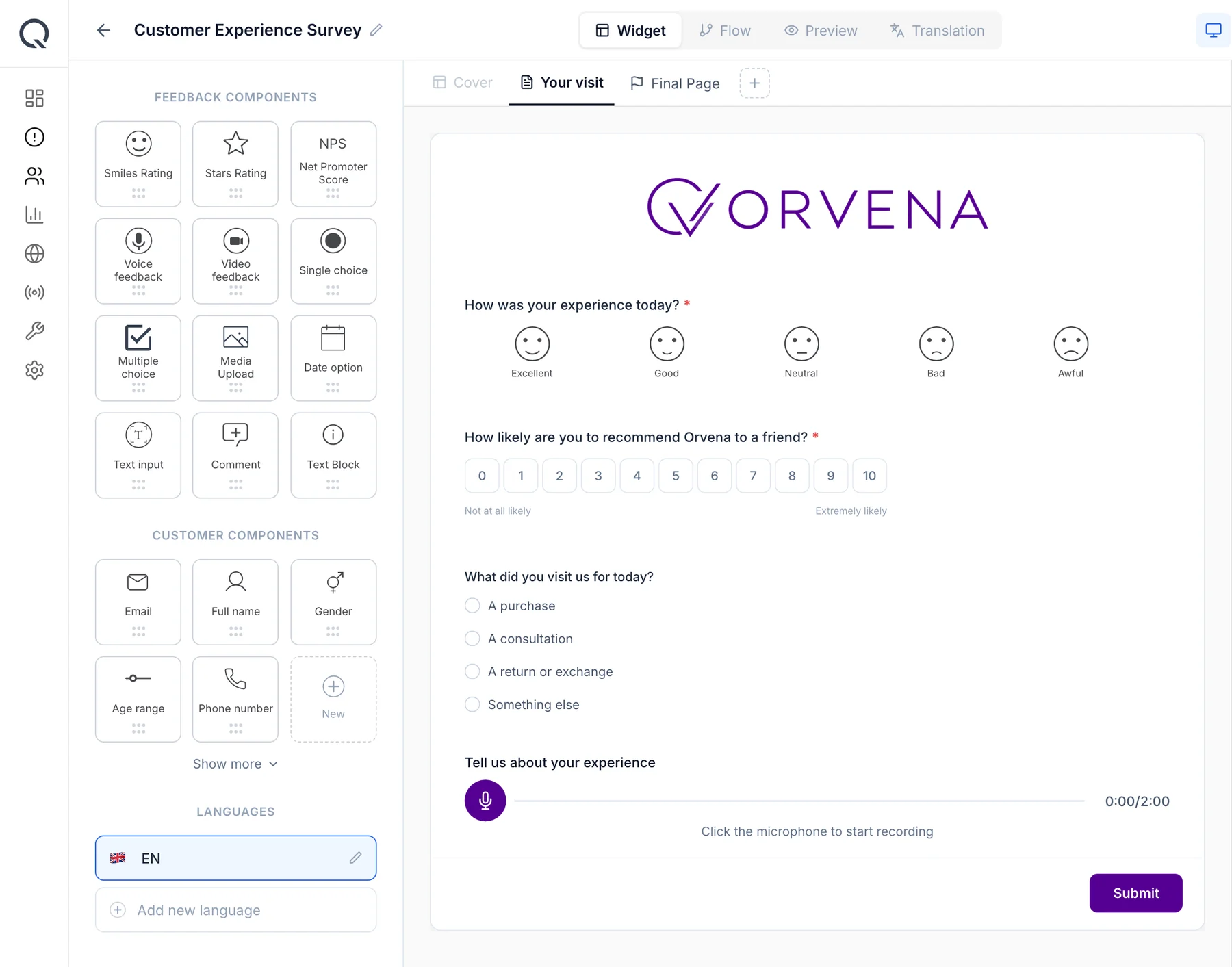
Short version for a kiosk or tablet (3 questions)
On a kiosk or counter tablet, a full form is too long. The short version keeps a rating, the topic and an optional comment or voice note:
- How was your experience today?
Answer type: 1–5 smileys, required - What is your feedback about?
Answer type: Multiple choice: Staff · Waiting time · Quality · Prices · Facilities · Other - Tell us more (optional)
Answer type: Short text or voice note, optional
Feedback form design: what to include and what to leave out
A few choices make the difference between a form people use and one they abandon:
- Required fields: as few as possible. Only the rating and, for complaints, the description. Everything else optional.
- Contact only on request. Asking for name and email up front feels like a sales form and lowers submissions. Ask only when the customer wants a reply.
- Let customers show, not just tell. Photo and voice options capture problems that are hard to describe — a damaged product, a broken door, a confusing sign.
- Write the form in the customer's language. Offer every language your customers use; feedback forms are often used by the customers who struggle most with your main language.
- Avoid internal jargon. “Billing” is clearer than the name of your billing department.
For question-writing principles in general, see how to create effective customer surveys, and for a survey-style structure built around a single goal, the perfect customer feedback survey template guide.
When and where to run it
A feedback form should be available wherever customers might want to reach you — not only after a transaction:
- In every branch or location — QR code on the counter, door and posters, full version. One code per location so the form already knows where the customer is.
- At the exit or service desk — tablet in kiosk mode, short version. For customers who prefer to tap rather than scan.
- On your website and app — web form or embedded widget, full version. Place it in the footer and on the contact page.
- In transactional emails and receipts — link in the footer, full version. A permanent “Tell us how we did” link costs nothing.
- Phone calls, letters and walk-in complaints — entered by staff as external feedback. So every channel ends up in the same list and nothing is lost.
How to analyse the results
Because a feedback form is open-ended, analysis is about volume, mix and themes rather than a single score:
- Feedback mix: the share of compliments, suggestions, complaints and questions per month. A rising complaint share is an early warning.
- Topic by location: which topics generate complaints at which branches. Example: 140 submissions in a month, 52 complaints, of which 30 concern waiting time at three locations.
- Sentiment and themes in comments: classify free text by sentiment and group similar comments to find recurring issues.
- Average rating by topic: separates topics that are mentioned often from those that actually hurt satisfaction.
- Response performance: time to first reply and time to resolution for customers who asked to be contacted.
Compliments matter too: route them to the employee and their manager. Recognised staff tend to deliver more of what customers praised.
Closing the loop on low scores
A feedback form that does not reply is worse than no form. Set up handling before you publish it:
- Every complaint, and every submission with a rating of 1–2, automatically becomes a ticket with an owner based on topic and location.
- Tickets carry a priority and an SLA for first response and resolution, with escalation to a manager when the deadline passes.
- The owner replies to the customer — by email from the ticket, or by phone — and records the outcome.
- When the ticket is closed, the root cause and action are recorded, so monthly reviews can fix recurring issues at the source.
The method is described in detail in closed-loop feedback, and the ticketing side on our ticketing page.
Use this template in Qmeter
Every field in this form maps to a Qmeter Template Builder component — Smiles rating, single choice, date option, text and comment, media, voice and video feedback, and customer fields — with show-if rules for the contact block. Publish it as a web link and QR codes per location, on kiosks, or embedded on your website. Submissions arrive in one list with sentiment, and ticket generation rules turn complaints into cases with SLA timers and two-way email replies. You can set it up during the 14-day free trial.
Frequently asked questions
What should a customer feedback form include?
An overall rating, the type of feedback, the topic, where and when it happened, a description, an optional photo or voice note, and contact details shown only when the customer wants a reply.
What is the difference between a feedback form and a survey?
A survey asks every customer the same questions to measure a score such as CSAT or NPS. A feedback form is an always-open channel where customers raise whatever matters to them — compliments, suggestions, complaints or questions.
Should a feedback form ask for the customer's name and email?
Only if the customer wants a reply. Asking for personal details up front lowers the number of submissions. Make contact fields appear when the customer chooses Yes to a reply.
Where should I put a customer feedback form?
On QR codes in every location, on kiosks at exits or desks, on your website and app, and as a link in receipts and transactional emails.
How quickly should we respond to feedback form submissions?
Set a target such as one to two working days for a first reply to complaints and state it on the thank-you screen. Then measure it and keep to it.
Can customers attach photos or voice messages?
They can if your form supports media fields. Photos and voice notes help customers explain problems that are hard to put in words.
Measure it at every location — live in one day
Feedback kiosks, QR and web surveys, SMS and email, real-time alerts and follow-up tickets in one platform. 14-day free trial.
✓ 15 minutes · ✓ No commitment · ✓ A real CX person