Patient satisfaction survey template
✓ Cloud or on-premise · ✓ Kiosk, QR, SMS, email and web · ✓ Live in one day
A patient satisfaction survey template should cover the whole visit: booking and access, waiting time, how clearly staff explained things, whether the patient felt respected, cleanliness, and overall satisfaction. Use 1–5 scales, keep clinical questions out, make it anonymous by default, and offer a three-question version on a tablet at reception.
The patient satisfaction survey template
This template measures the patient experience of an outpatient visit — the parts of care that patients can judge for themselves. It deliberately does not ask about clinical outcomes or diagnoses, which patients cannot assess and which raise privacy questions. It suits clinics, outpatient departments, diagnostic centres, dental and specialist practices.
If you run a hospital that reports to a national programme with a mandatory questionnaire (for example HCAHPS, the US national hospital patient survey administered by CMS), keep that instrument as it is. Use this template for the continuous, department-level feedback that a once-a-year mandated survey cannot give you.
Full version (QR code, email, SMS link or web) — 11 questions
- Overall, how satisfied are you with your visit today?
Answer type: 1–5 smileys (Very dissatisfied → Very satisfied), required - Which department or service did you visit?
Answer type: Single choice (e.g. General practice · Paediatrics · Laboratory · Radiology · Dental · Pharmacy · Other)
Skip this if each department has its own kiosk or QR code — the channel already tells you. - How easy was it to get an appointment?
Answer type: 1–5 scale (Very difficult → Very easy) - How long did you wait after your appointment time before being seen?
Answer type: Single choice: Less than 15 min · 15–30 min · 30–60 min · More than an hour
Waiting bands are more reliable than asking patients to rate “waiting” in general. - How well did the doctor or nurse explain your condition and next steps?
Answer type: 1–5 stars - Did you feel listened to and treated with respect?
Answer type: Single choice: Yes, completely · Yes, to some extent · No - How would you rate the reception and administrative staff?
Answer type: 1–5 stars - How clean was the clinic, including waiting areas and washrooms?
Answer type: 1–5 stars - How likely are you to recommend this clinic to friends or family?
Answer type: 0–10 scale (Net Promoter Score) - What could we do to improve your next visit?
Answer type: Open text, optional - Would you like the patient relations team to contact you?
Answer type: Yes / No + phone or email on Yes
Keep this optional and explain that answers are otherwise anonymous.
Add a short privacy line at the top of the survey, for example: “Your answers are anonymous unless you choose to leave your contact details. Please do not include medical information.”
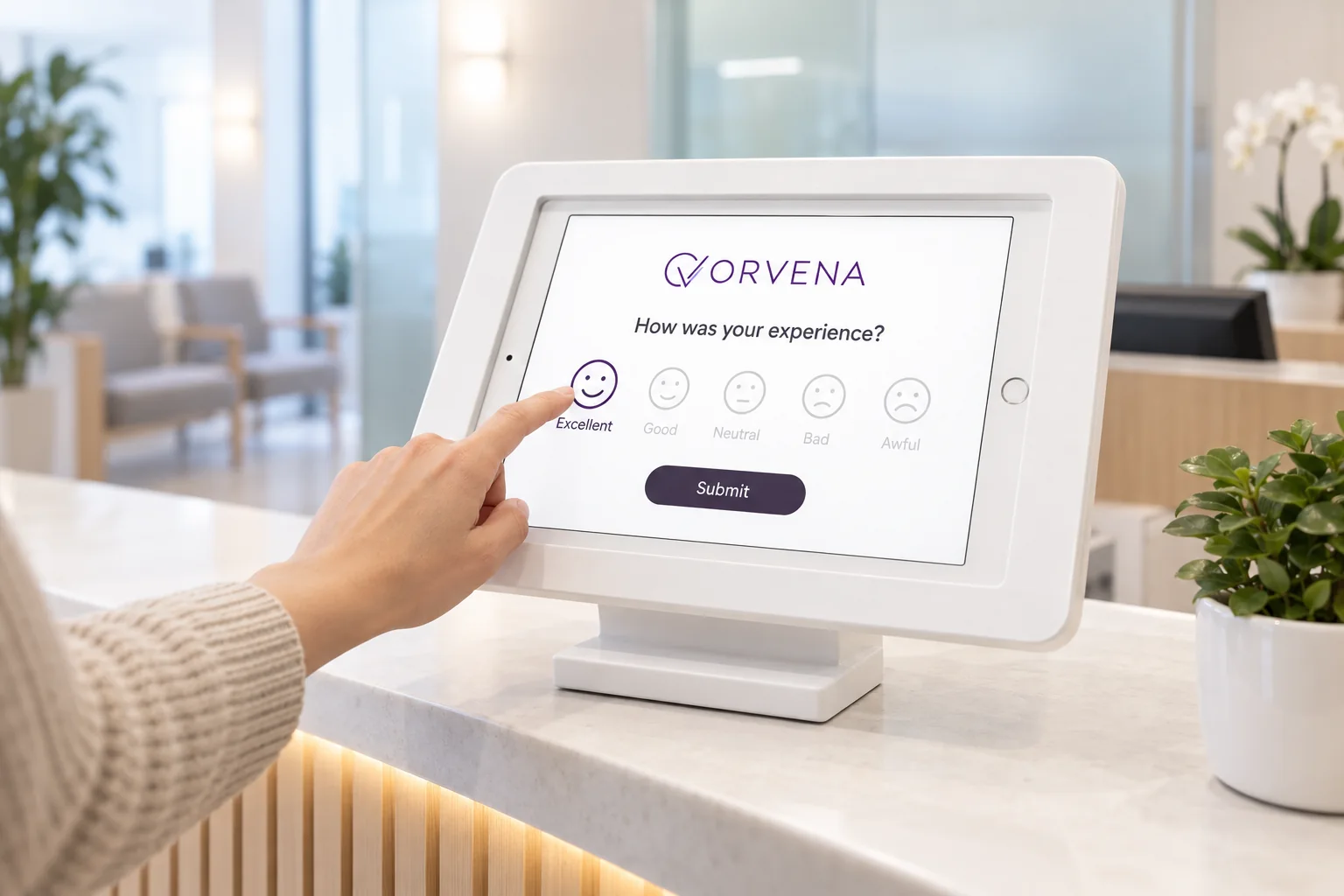
Short version for a kiosk or tablet (3 questions)
At reception or the pharmacy exit, patients are often tired, unwell or accompanied by children. Three taps is the maximum:
- How satisfied are you with your visit today?
Answer type: 1–5 smileys, required - What could have been better? (shown for 1–3)
Answer type: Multiple choice: Waiting time · Doctor or nurse communication · Reception staff · Cleanliness · Booking · Other - Would you like patient relations to contact you?
Answer type: Yes / No + phone number
Five design rules for patient surveys
- Ask about experience, not treatment. Patients can judge waiting, communication, respect and cleanliness. Questions about clinical quality produce unreliable answers and can worry people unnecessarily.
- Anonymous by default. Patients are more candid when they are not identified. Offer contact as an opt-in for those who want a reply.
- Multiple languages. Healthcare serves everyone; a survey only in the main language silently excludes the patients most likely to struggle with communication.
- Accessible design. Large buttons, high contrast and smileys work for older patients and children. Kiosks should be reachable from a seated position.
- No medical details in free text. Ask patients not to include health information, and restrict who can read comments in your system.
The healthcare page shows how clinics and hospitals use these principles across departments.
When and where to run it
Patient feedback is most accurate when collected the same day. Use the channel that fits each step of the visit:
- Leaving the clinic, at reception or the pharmacy — tablet in kiosk mode, short version. Highest volume; captures waiting and staff issues while still fresh.
- In the waiting room — QR code on posters or chair-side cards, full version. Patients waiting for results or prescriptions have time for ten questions.
- Within a few hours after the appointment — SMS link, full version. Works well when patients book with a mobile number.
- After a hospital stay or procedure — email or SMS within 1–3 days, full version. Give patients a day to rest before asking.
- For patients who prefer to talk — phone call recorded as external feedback. Staff enter the answers so these voices are not left out.
How to analyse the results
Start with overall satisfaction (share of 4 and 5 answers on question 1) and the recommendation score on question 9. Example: 260 responses in a month, 221 of them 4 or 5 — 85% satisfied. Then look at where the experience breaks:
- By department and doctor's schedule. Satisfaction often tracks waiting time, which tracks scheduling, not clinical skill.
- Waiting bands against satisfaction. Find the waiting time at which satisfaction drops sharply; that becomes a practical service target.
- Communication and respect (questions 5–6). These are the questions most linked to complaints, and the ones training can change.
- Day of week and time of day. Monday mornings and late afternoons often look very different from mid-week middays.
- By site if you run several clinics, with response counts shown next to every score.
Read the open comments from patients who answered 1–2 every week; they usually contain the most specific, fixable issues — a broken intercom, a confusing sign, a missing chair.
Closing the loop on low scores
A patient who leaves a low score and hears nothing is likely to complain somewhere more public. Set up the response path before launch:
- Scores of 1–2, or “No” on the respect question, trigger an immediate alert to the patient relations or practice manager.
- A ticket is created with a response deadline; cleanliness issues can be routed directly to facilities.
- If the patient opted in to contact, a member of patient relations calls back — not the clinician involved.
- Closed tickets record a root cause (scheduling, communication, facility, administration) for the monthly quality review.
Our guide to closed-loop feedback covers response targets and escalation.
Use this template in Qmeter
Qmeter runs this template on reception tablets in kiosk mode — they keep collecting during network outages and sync later — and on QR codes, SMS and email at the same time. Surveys can be offered in more than 100 languages, with AI-assisted translation you review before publishing. Low ratings become tickets automatically, routed by department, and an on-premise deployment is available where patient data must stay on your own servers. Start with the 14-day free trial or see how it works for healthcare providers.
Frequently asked questions
What questions should a patient satisfaction survey include?
Overall satisfaction, ease of booking, waiting time, how clearly staff explained things, whether the patient felt respected, reception staff, cleanliness, likelihood to recommend, and an open comment. Leave clinical outcome questions out.
How long should a patient satisfaction survey be?
Three questions on a tablet at reception and up to ten or eleven for QR, SMS or email. Patients are often tired or unwell, so shorter surveys get more and more honest answers.
Should patient surveys be anonymous?
Yes, by default. Offer an optional field for contact details so patients who want a reply can get one. Ask patients not to include medical information in comments.
When is the best time to survey patients?
The same day: at reception as they leave, or by SMS within a few hours. After a hospital stay, wait one to three days so the patient has rested.
Can this template replace a mandatory national patient survey?
No. If your hospital must report a standard questionnaire such as HCAHPS, keep it unchanged. This template complements it with continuous, department-level feedback.
How do we handle a very negative patient comment?
Route it to patient relations immediately, contact the patient if they left details, and record the cause when the case is closed. Do not have the clinician involved make the first contact.
Measure it at every location — live in one day
Feedback kiosks, QR and web surveys, SMS and email, real-time alerts and follow-up tickets in one platform. 14-day free trial.
✓ 15 minutes · ✓ No commitment · ✓ A real CX person